> For the complete documentation index, see [llms.txt](https://docs.archisketch.com/llms.txt). Markdown versions of documentation pages are available by appending `.md` to page URLs; this page is available as [Markdown](https://docs.archisketch.com/guide/user-jp/pro-team-plan/team-plan-subscribe.md).
# チームプランを購読する
チームプランの決済から開始までの全体の流れをご案内します。
## プランを購読する
Archisketchのプロフェッショナル チームプランは公式サイトで購読できます。
{% hint style="info" %}
購読経路:Archisketchホームページ → 料金案内 → \[プロフェッショナル チームを購読する] → 決済
[🏃♀️➡️ 料金案内ページへ](https://www.archisketch.com/ko/pricing/)
{% endhint %}
* 購読はArchisketchにログインした状態でのみ可能です。
* 決済を進めるアカウントには自動的に企業管理者(アドミン)権限が付与されます。
* 管理者権限は他のユーザーに譲渡できないため、慎重に購読を進めてください。
### ステップ1. 情報入力
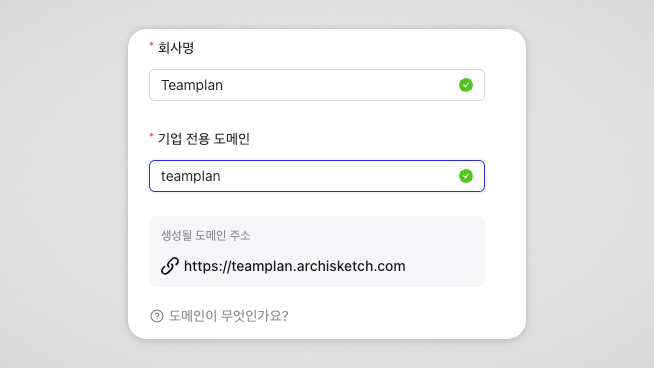
* 会社名
* 英語、韓国語、数字、特殊文字の組み合わせで入力可能
* 企業専用ドメイン
* ドメインとは?インターネット上でウェブサイトを見つけられる住所です。
* 文字数制限:5〜20文字
* 小文字の英語と数字の組み合わせのみ入力可能
* 特殊文字は入力不可
* すでに存在するドメインは使用不可
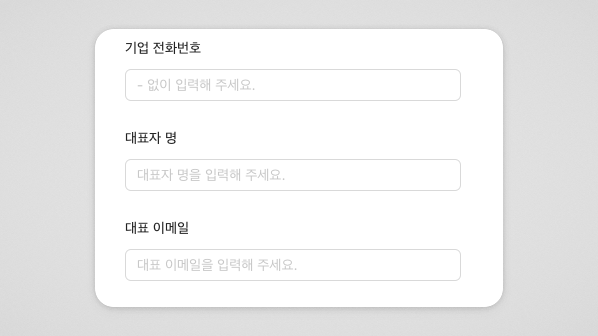
3. 企業情報(任意入力)
* 企業電話番号
* 代表者名
* 代表メール
この情報は必須項目ではなく、決済後に企業設定で追加入力できます。
入力すると見積書の作成内容に含まれます。
### ステップ2. アカウント数を指定
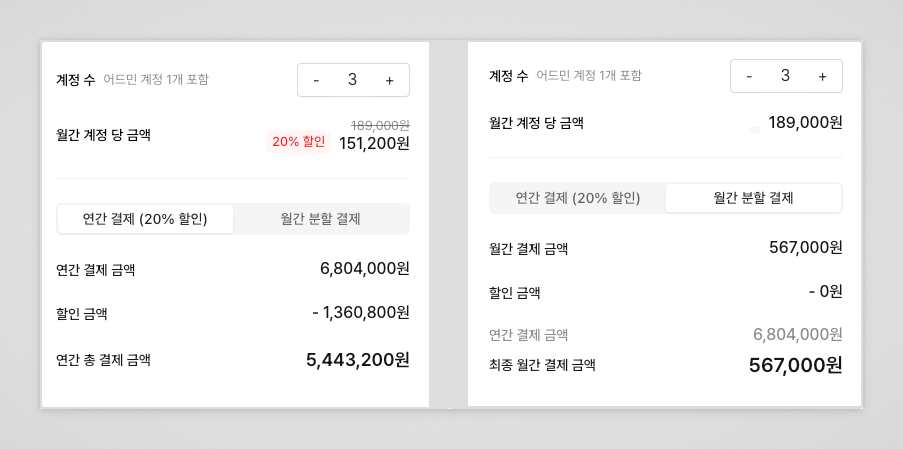
* 作成可能なアカウント数:最小3名〜最大50名(管理者含む)
* アカウント数に応じて料金を設定
* 決済後にアカウントの追加/削除が可能(削除時はキャンセル手数料が発生する場合があります)
{% hint style="warning" %}
51名以上の登録をご希望の場合は別途エンタープライズ契約が必要です。Archisketchまでご連絡ください。
{% endhint %}
### ステップ3. 決済する
購読期間:1年
決済方法:年額決済 / 月額分割払いを選択可能
年額決済(20%割引)
* 総購読料から20%割引を適用
月額分割決済
* 割引なし
* 総額を月単位で分けて支払い可能
{% hint style="info" %}
購読期間は年額/月額払いのどちらも1年で同じです。
{% endhint %}
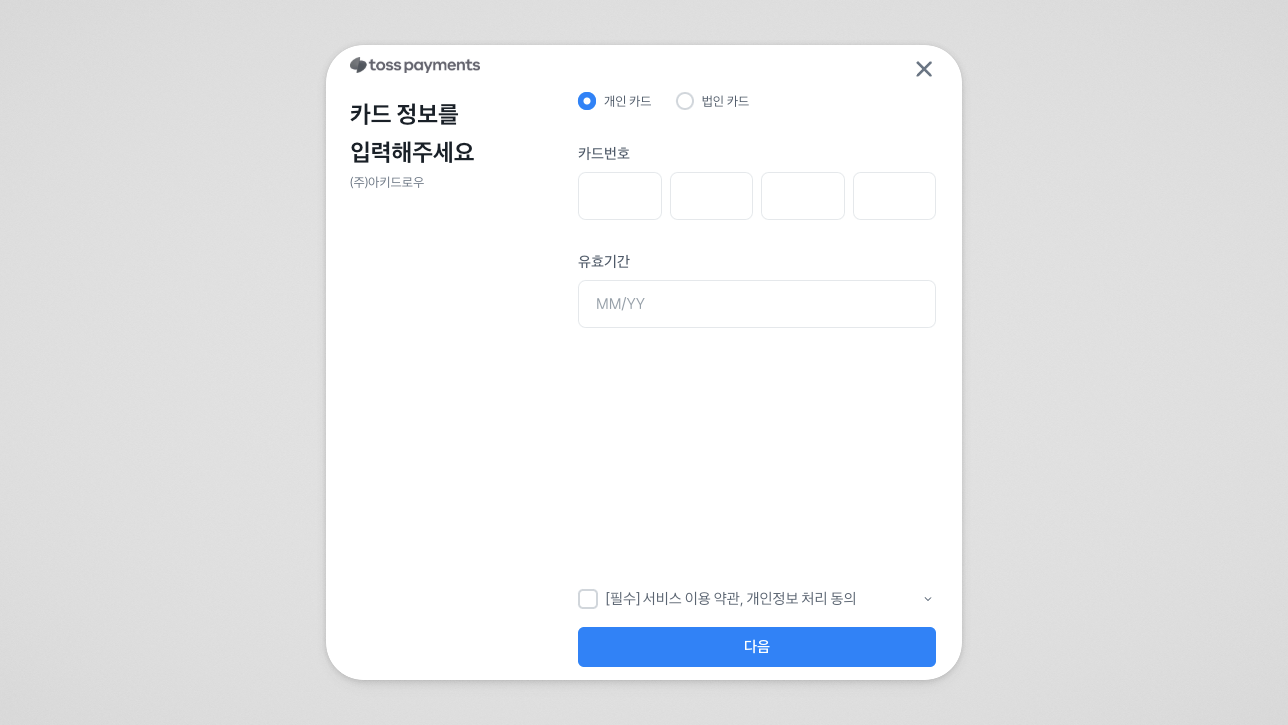
カード決済のご案内
* 国内カード会社のクレジット・デビットカードのみ利用可能
* 海外カードは対応していません
**決済完了後**
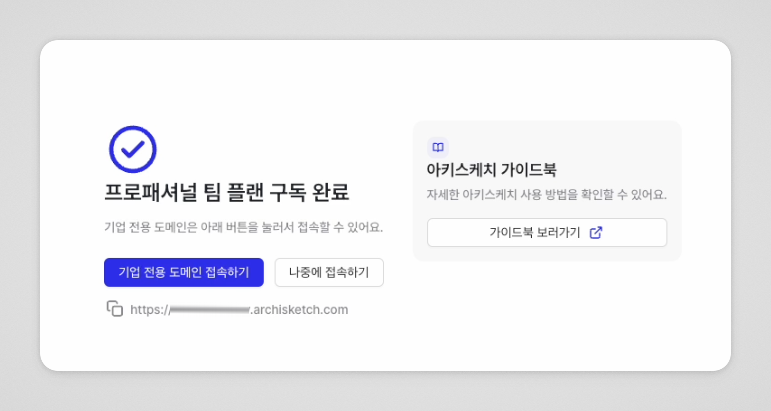
決済が完了すると **購読完了案内画面**が表示され、📩 **ドメインアドレスおよび案内**がメールで送信されます。
---
# Agent Instructions
This documentation is published with GitBook. GitBook is the documentation platform designed so that both humans and AI agents can read, navigate, and reason over technical content effectively. Learn more at gitbook.com.
## Querying This Documentation
If you need additional information that is not directly available in this page, you can query the documentation by asking a question.
Perform an HTTP GET request on the following URL with the `ask` and `goal` query parameters:
```
GET https://docs.archisketch.com/guide/user-jp/pro-team-plan/team-plan-subscribe.md?ask=&goal=
```
`ask` is the immediate question: it should be specific, self-contained, and written in natural language.
`goal` is what the user is ultimately trying to achieve, the reason they need the answer. Sharing it helps GitBook give you a better, more relevant answer. A goal is most helpful when it describes the outcome the user wants rather than restating the question. For example, with `ask=how do I create an API token`, a goal like `automate deployments from our CI pipeline` lets GitBook tailor the answer to that use case.
The response will contain a direct answer to the question and relevant excerpts and sources from the documentation.
Use this mechanism when the answer is not explicitly present in the current page, you need clarification or additional context, or you want to retrieve related documentation sections.