> For the complete documentation index, see [llms.txt](https://docs.archisketch.com/llms.txt). Markdown versions of documentation pages are available by appending `.md` to page URLs; this page is available as [Markdown](https://docs.archisketch.com/guide/user-jp/manage-project/project-folder.md).
# プロジェクトフォルダの移動
## プロジェクトをフォルダで管理して共有する
アーキスケッチでは、プロジェクトをフォルダ単位で整理して共有できます。\
フォルダで整理したプロジェクトは効率的に管理でき、希望するユーザーとフォルダ単位で共有することも可能です。
フォルダ名をクリックすると、整理されたフォルダごとにプロジェクトを確認できます。\
もちろん、最上部の「すべてのプロジェクト」をクリックすれば、フォルダの区分なくすべてのプロジェクトを一目で見ることができます。
## フォルダ機能の使い方
#### フォルダを作成する
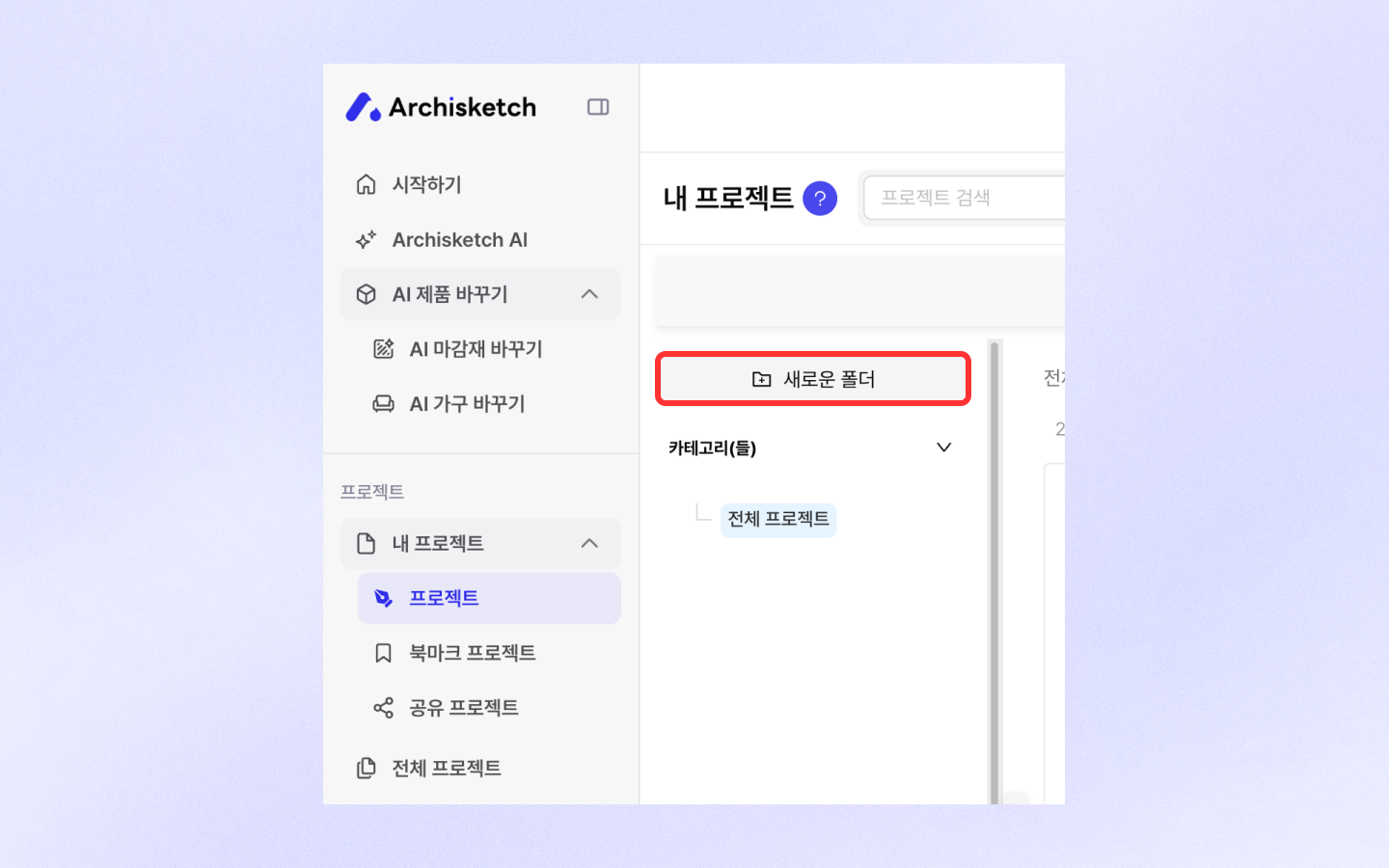
* 画面で\[新しいフォルダ]ボタンをクリックしてください。
* フォルダ名を入力して保存すると、新しいフォルダが作成されます。
#### プロジェクトをフォルダに入れる
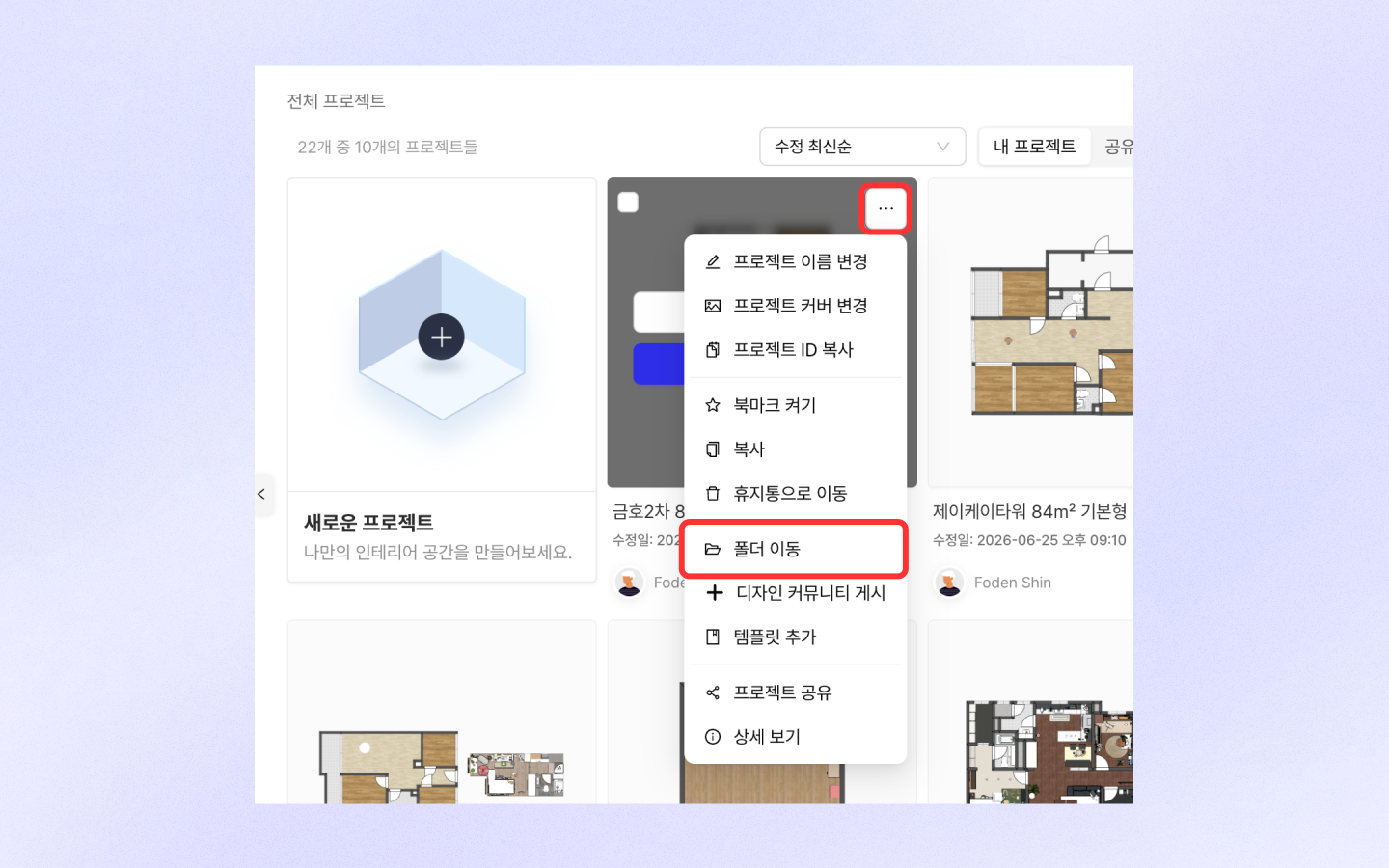
* 単一移動:
* プロジェクトの\[もっと見る]ボタンをクリックします。
* \[フォルダ移動]を選択して、希望するフォルダへ移動します。
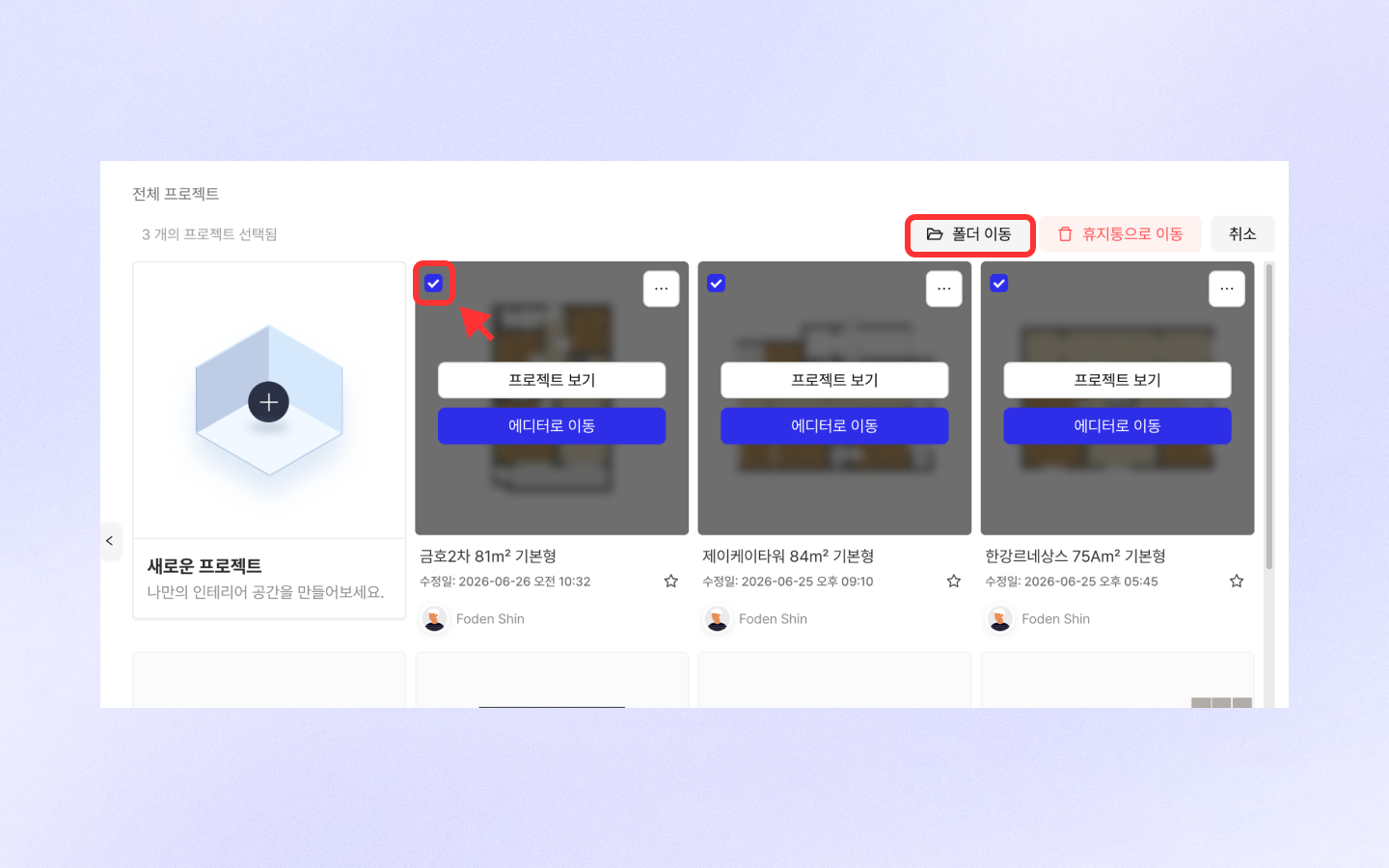
複数移動:
* 複数のプロジェクトを選択します。
* 上部メニューで\[フォルダ移動]ボタンを押して、希望するフォルダへ一度に移動します。
#### フォルダを管理する
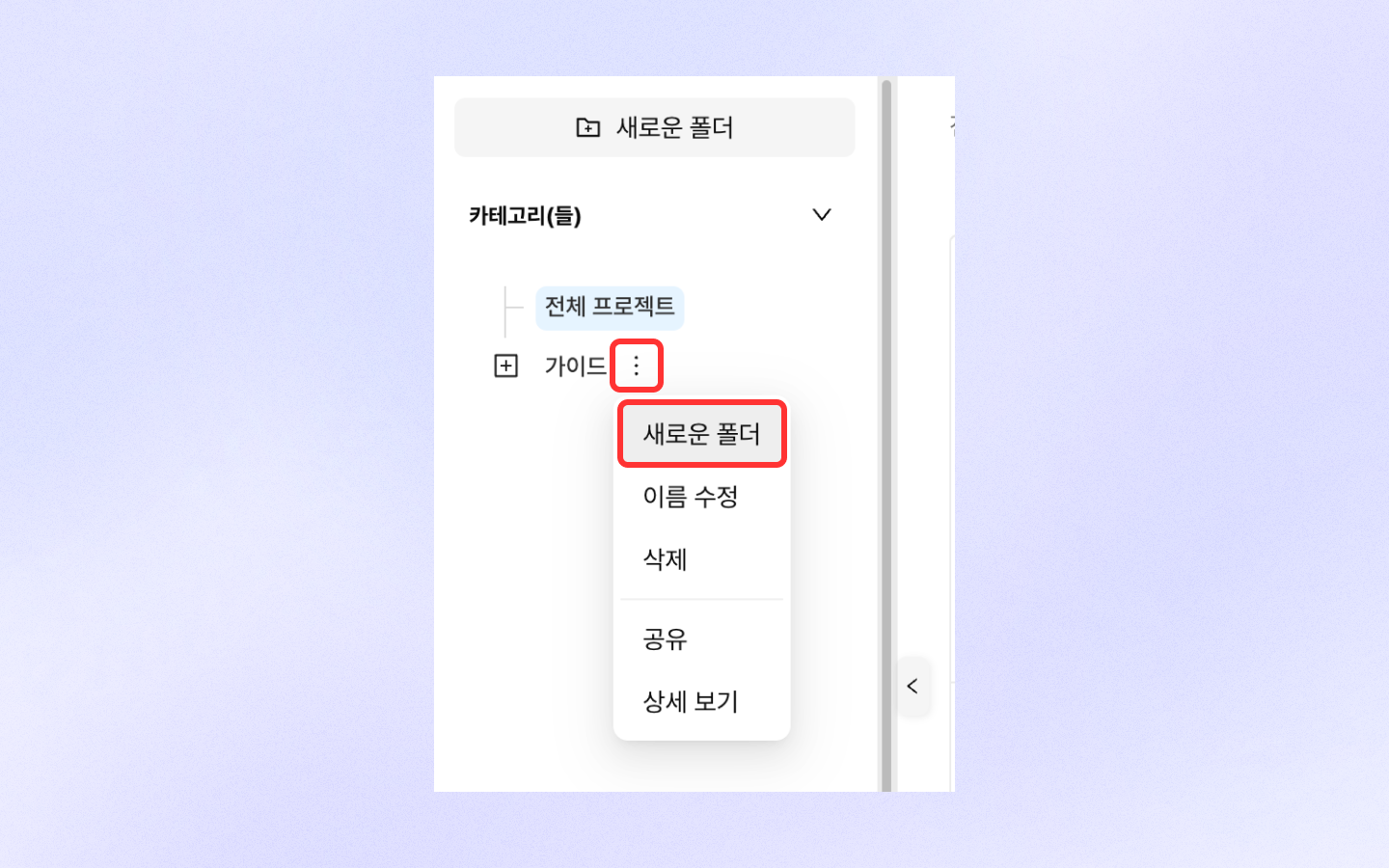
* フォルダ名の右側にある\[もっと見る]ボタンをクリックします。
* サブフォルダの作成、名前の変更、削除、共有機能を選択してフォルダを管理してください。
---
# Agent Instructions
This documentation is published with GitBook. GitBook is the documentation platform designed so that both humans and AI agents can read, navigate, and reason over technical content effectively. Learn more at gitbook.com.
## Querying This Documentation
If you need additional information that is not directly available in this page, you can query the documentation by asking a question.
Perform an HTTP GET request on the following URL with the `ask` and `goal` query parameters:
```
GET https://docs.archisketch.com/guide/user-jp/manage-project/project-folder.md?ask=&goal=
```
`ask` is the immediate question: it should be specific, self-contained, and written in natural language.
`goal` is what the user is ultimately trying to achieve, the reason they need the answer. Sharing it helps GitBook give you a better, more relevant answer. A goal is most helpful when it describes the outcome the user wants rather than restating the question. For example, with `ask=how do I create an API token`, a goal like `automate deployments from our CI pipeline` lets GitBook tailor the answer to that use case.
The response will contain a direct answer to the question and relevant excerpts and sources from the documentation.
Use this mechanism when the answer is not explicitly present in the current page, you need clarification or additional context, or you want to retrieve related documentation sections.