> For the complete documentation index, see [llms.txt](https://docs.archisketch.com/llms.txt). Markdown versions of documentation pages are available by appending `.md` to page URLs; this page is available as [Markdown](https://docs.archisketch.com/guide/user-jp/make-project/floor-plan-image-upload.md).
# 間取り画像をアップロード
図面画像をアップロードする
## 図面画像をアップロードする
{% stepper %}
{% step %}
### 図面画像アップロード画面を開く
\[新しいプロジェクト] → \[図面を直接描く]を選択してください。
図面画像をアップロードするをクリックするとアップロード画面が表示されます。


{% endstep %}
{% step %}
### 図面画像をアップロードする
アップロード画面が表示されたら、図面画像をアップロードする準備は完了です。\
画像をドラッグ&ドロップするか、ファイルを直接選択してアップロードしてください。
* アップロード可能な拡張子: jpg, jpeg, png, gif
* 最大ファイルサイズ: 10MB

{% endstep %}
{% step %}
### アップロードオプションを設定する
アップロードした画像に合わせて、以下のオプションを設定してください。
1. 回転および反転機能: 画像を回転したり、左右/上下に反転して図面の向きを合わせることができます。
2. 自動検出をオフにする: 自動検出をオフにすると、図面のスケールを手動で入力する必要があります。
3. 範囲設定: 必要な部分だけを切り抜いて、正確にアップロードできます。\
寸法情報が含まれている必要があります。寸法の自動検出が可能です。

{% endstep %}
{% step %}
### 寸法を確認してからアップロードする
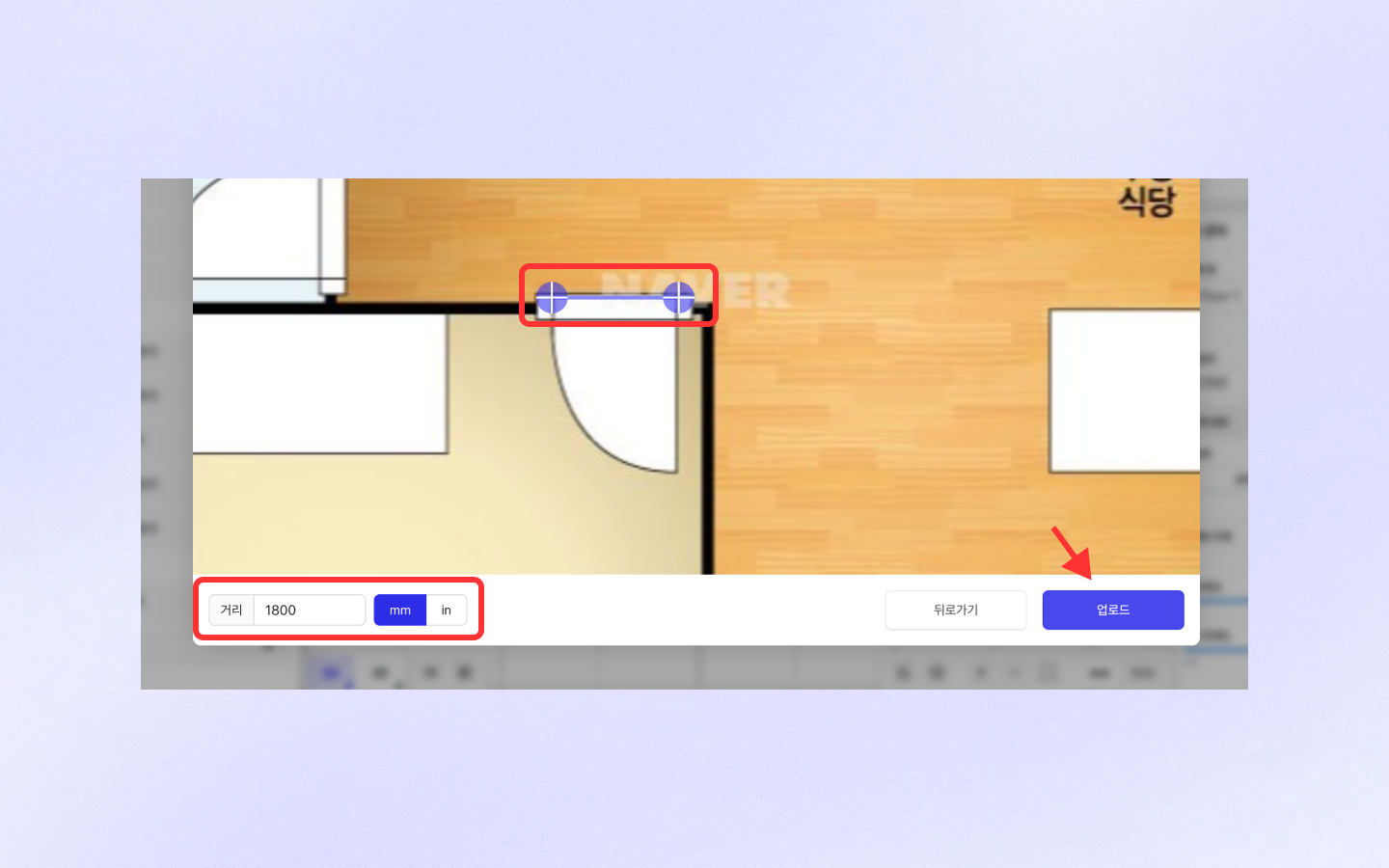
次のステップに進むと、AIが自動で寸法と距離を認識します。\
\[距離]と領域の距離が合っているか確認し、正しければアップロードボタンを押してください。\
もし認識がうまくいかない場合は、範囲を再設定したり、数値を修正したりすることもできます。
{% endstep %}
{% step %}
### 生成された図面を確認して整える
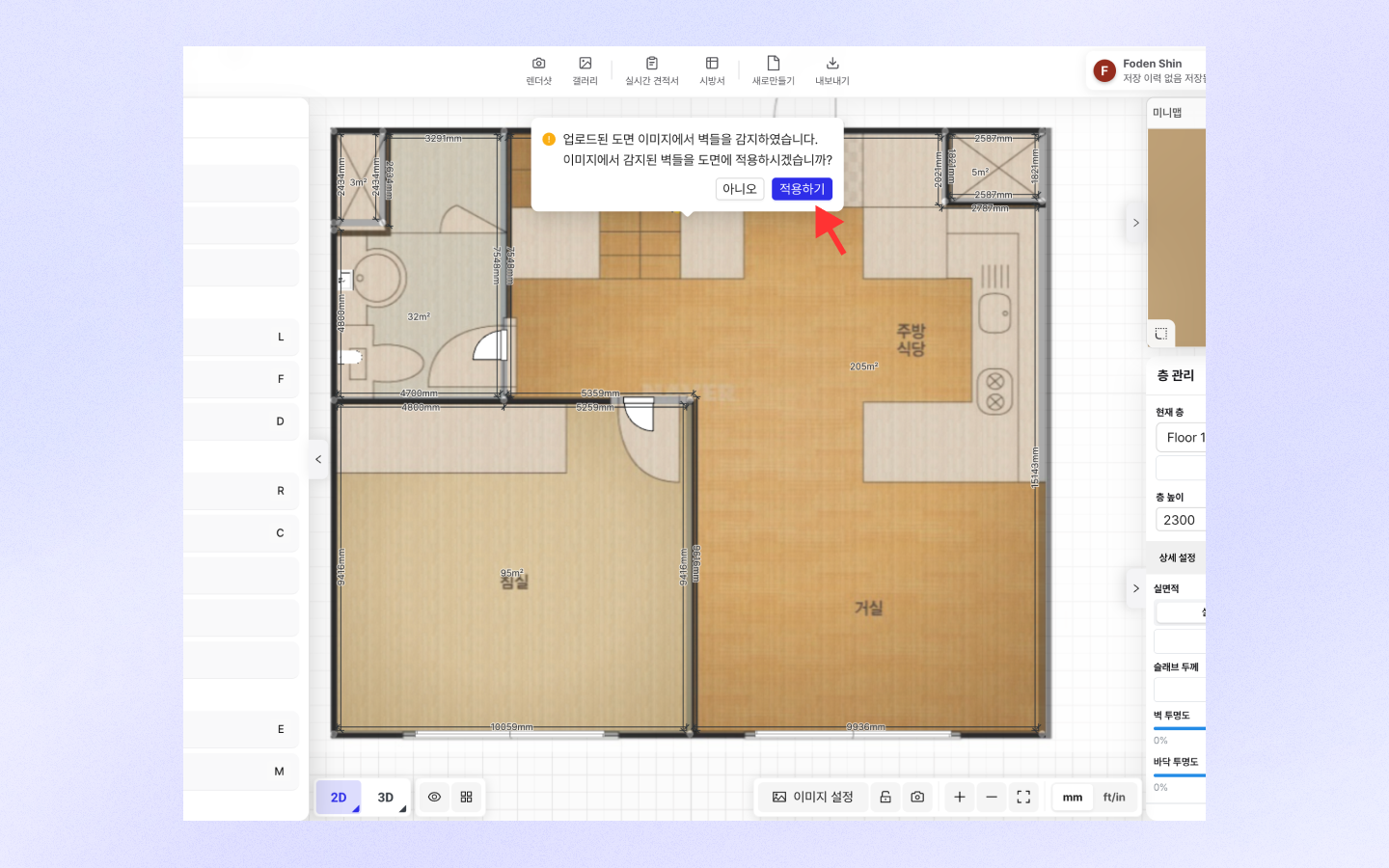
アップロード後、AIは壁、ドア、窓を自動で認識し、図面を素早く描いてくれます。
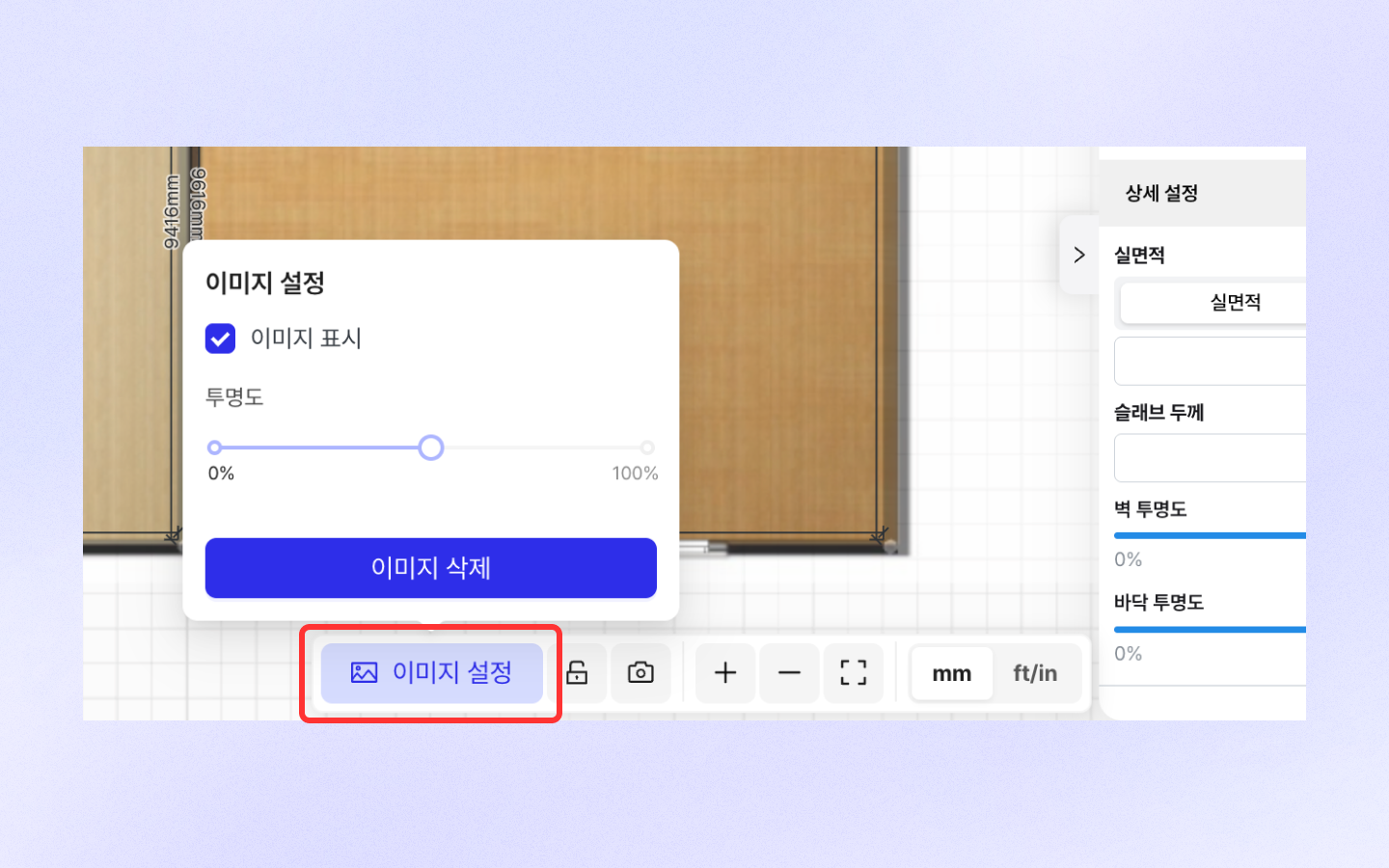
下部の\[画像設定]をクリックすると、図面画像の透明度を自由に調整でき、画像表示のオン/オフも可能です。\
これで図面を便利に調整して、お好みどおりに仕上げてみてください!🥳
{% endstep %}
{% endstepper %}
---
# Agent Instructions
This documentation is published with GitBook. GitBook is the documentation platform designed so that both humans and AI agents can read, navigate, and reason over technical content effectively. Learn more at gitbook.com.
## Querying This Documentation
If you need additional information that is not directly available in this page, you can query the documentation by asking a question.
Perform an HTTP GET request on the following URL with the `ask` and `goal` query parameters:
```
GET https://docs.archisketch.com/guide/user-jp/make-project/floor-plan-image-upload.md?ask=&goal=
```
`ask` is the immediate question: it should be specific, self-contained, and written in natural language.
`goal` is what the user is ultimately trying to achieve, the reason they need the answer. Sharing it helps GitBook give you a better, more relevant answer. A goal is most helpful when it describes the outcome the user wants rather than restating the question. For example, with `ask=how do I create an API token`, a goal like `automate deployments from our CI pipeline` lets GitBook tailor the answer to that use case.
The response will contain a direct answer to the question and relevant excerpts and sources from the documentation.
Use this mechanism when the answer is not explicitly present in the current page, you need clarification or additional context, or you want to retrieve related documentation sections.