> For the complete documentation index, see [llms.txt](https://docs.archisketch.com/llms.txt). Markdown versions of documentation pages are available by appending `.md` to page URLs; this page is available as [Markdown](https://docs.archisketch.com/guide/user-jp/archisketch-ai/ai-kitchen.md).
# AIキッチン配置
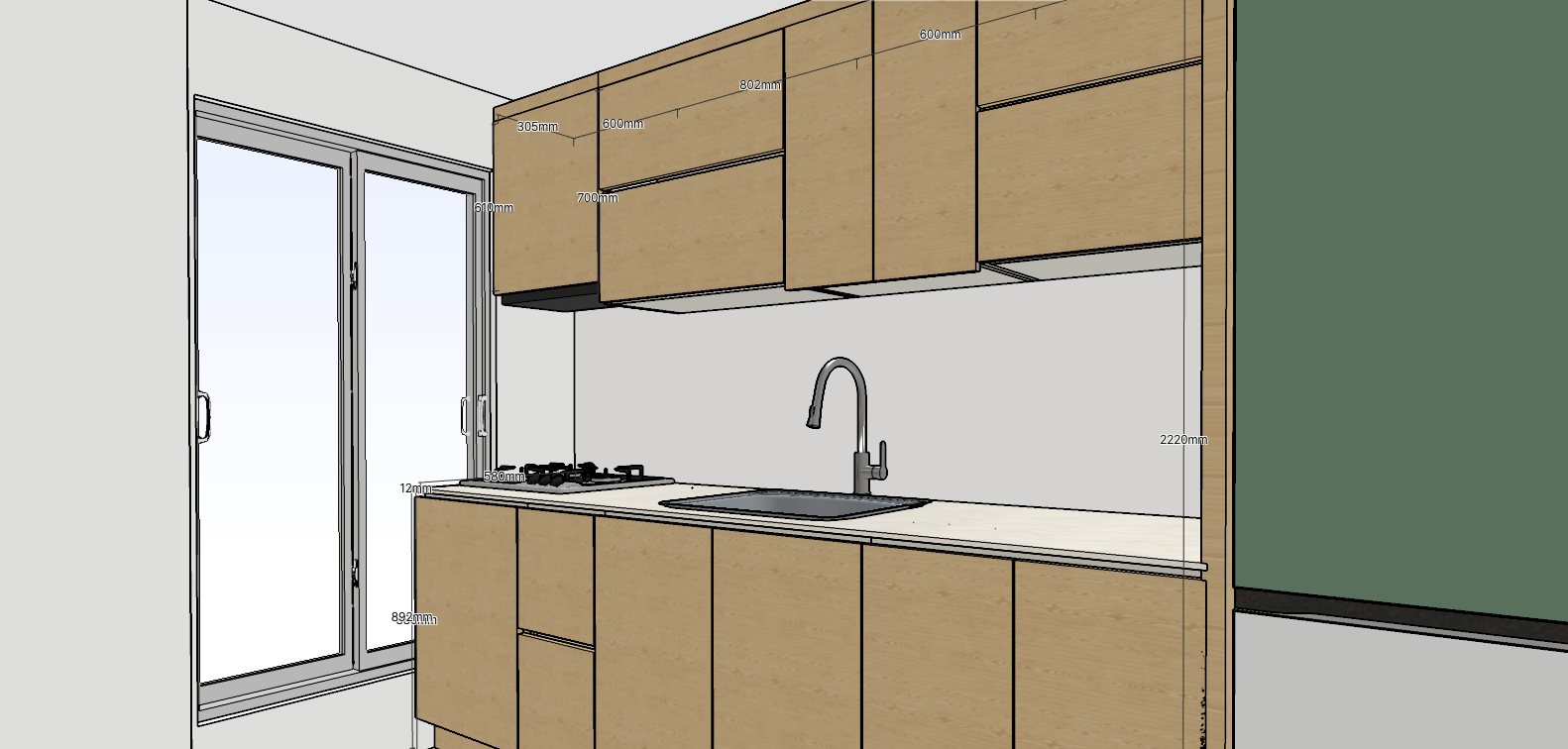
AIキッチンレイアウトは、キッチンスペースとシンク・オーブンなどの主要家電の位置だけを指定すれば、上部キャビネット・下部キャビネット・背の高いキャビネットを自動で配置してくれる機能です。家具を一つずつ直接置かなくても、キッチンレイアウトをすばやく完成できます。
### 始める前に
* キッチンとして使うスペースが図面に描かれている必要があります。スペースがない場合は、まず図面を描いてください。
### やり方
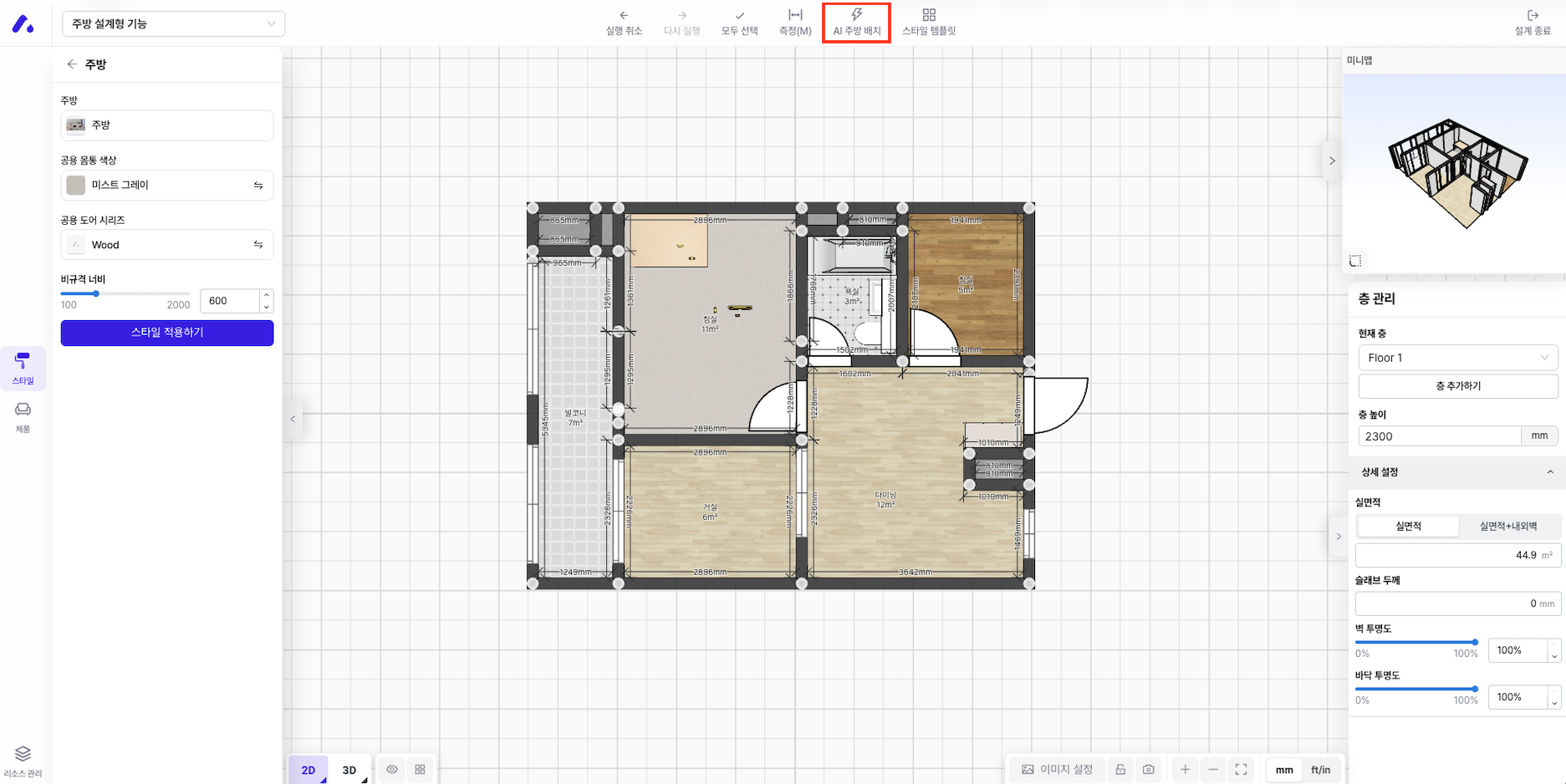
1. エディターで **AIキッチン配置**を実行します。
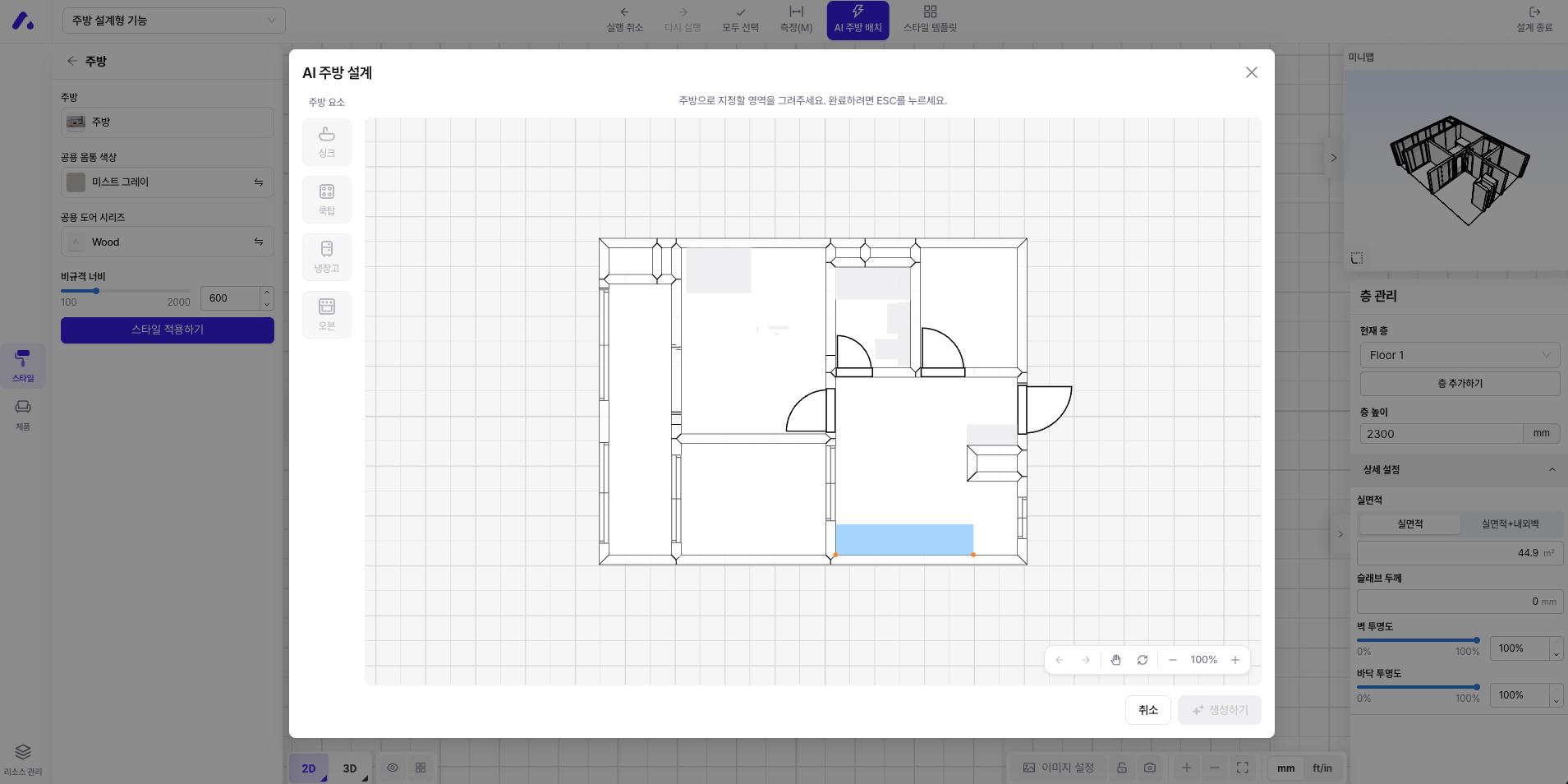
2. キッチンとして使う **スペースを指定**します。指定した領域を基準に家具が配置されます。
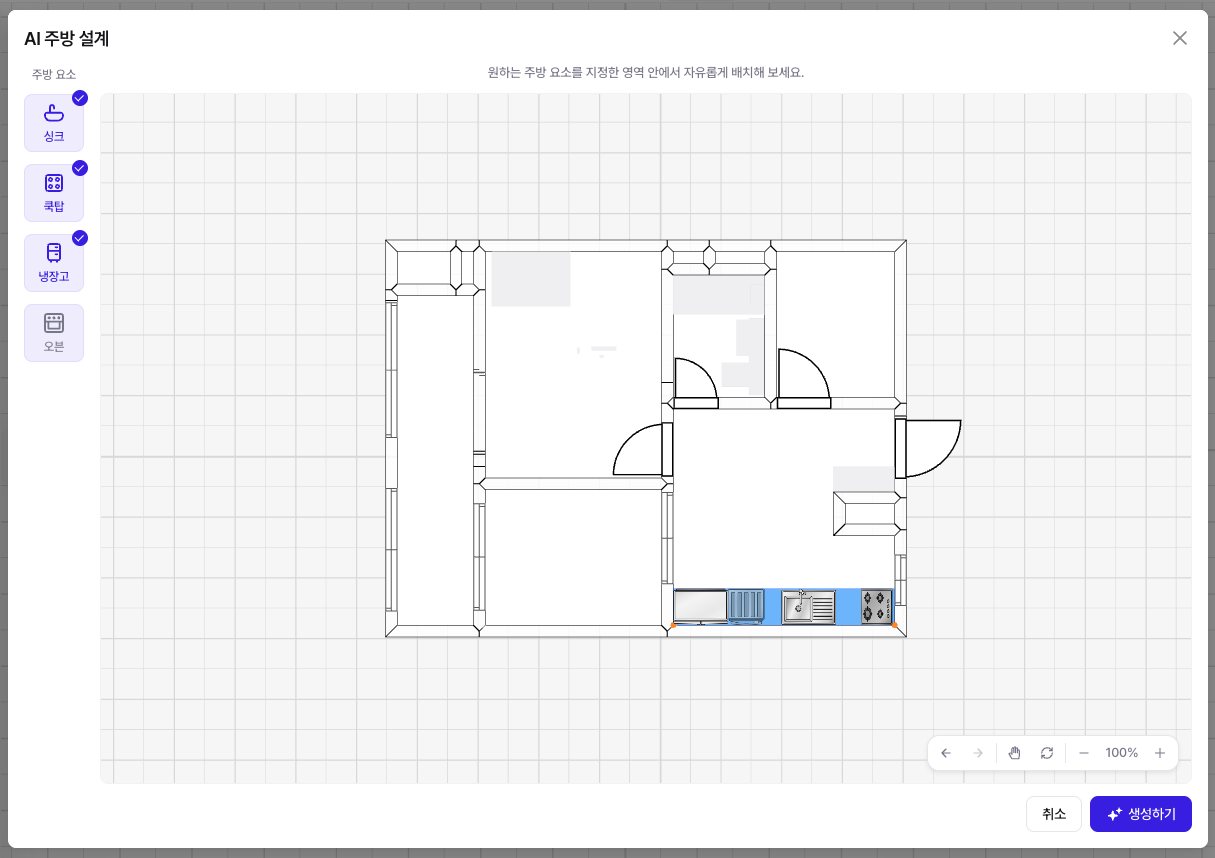
3. **シンク、オーブン** など主要家電の位置を指定します。配置の基準点になるので、実際の設置位置に合わせておくとよいです。
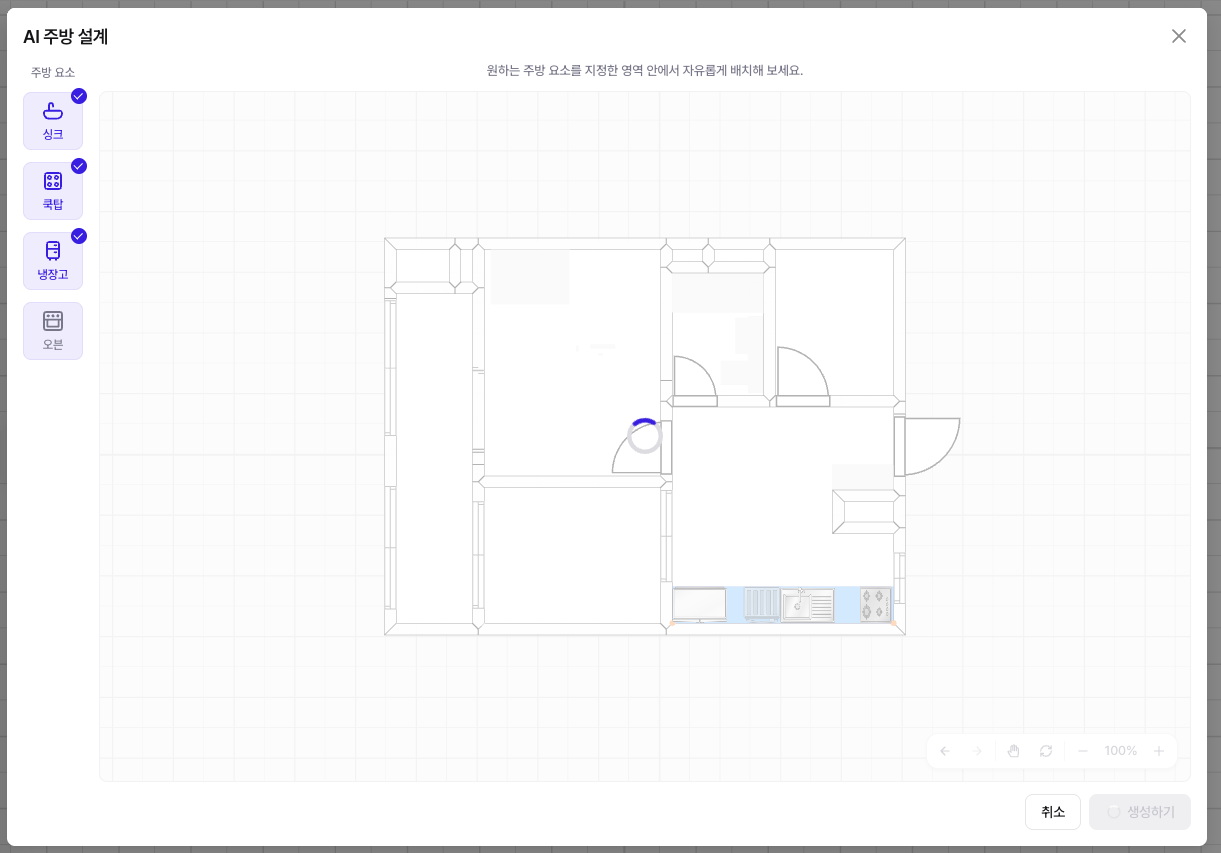
4. **生成**を押すと、指定した条件に合わせて **上部キャビネット・下部キャビネット・背の高いキャビネットが自動で配置**されます。
4. 結果を確認し、必要なら個別の家具を選択して位置・サイズを修正します。
{% hint style="info" %}
**ちょっとしたコツ** — シンクとオーブンの位置を先に正確に決めるほど、自動配置の結果はより自然になります。生成後も、各収納は通常の家具のように自由に編集できます。
{% endhint %}
### よくある質問
* **自動配置された家具を修正できますか?** はい、生成された上部・下部キャビネットと背の高いキャビネットは、それぞれ選択して位置・サイズ・仕上げを編集できます。
* **再生成するとどうなりますか?** スペースと家電の位置を変更してから再生成すると、新しい条件に合わせて配置されます。
***
### 実際の画面
---
# Agent Instructions
This documentation is published with GitBook. GitBook is the documentation platform designed so that both humans and AI agents can read, navigate, and reason over technical content effectively. Learn more at gitbook.com.
## Querying This Documentation
If you need additional information that is not directly available in this page, you can query the documentation by asking a question.
Perform an HTTP GET request on the following URL with the `ask` and `goal` query parameters:
```
GET https://docs.archisketch.com/guide/user-jp/archisketch-ai/ai-kitchen.md?ask=&goal=
```
`ask` is the immediate question: it should be specific, self-contained, and written in natural language.
`goal` is what the user is ultimately trying to achieve, the reason they need the answer. Sharing it helps GitBook give you a better, more relevant answer. A goal is most helpful when it describes the outcome the user wants rather than restating the question. For example, with `ask=how do I create an API token`, a goal like `automate deployments from our CI pipeline` lets GitBook tailor the answer to that use case.
The response will contain a direct answer to the question and relevant excerpts and sources from the documentation.
Use this mechanism when the answer is not explicitly present in the current page, you need clarification or additional context, or you want to retrieve related documentation sections.