> For the complete documentation index, see [llms.txt](https://docs.archisketch.com/llms.txt). Markdown versions of documentation pages are available by appending `.md` to page URLs; this page is available as [Markdown](https://docs.archisketch.com/guide/user-en/pro-team-plan/team-plan-subscribe.md).
# Subscribe to a team plan
We'll walk you through the overall process from paying for the team plan to getting started.
## Subscribe to a plan
Archisketch's Professional Team plan can be subscribed to on the official website.
{% hint style="info" %}
Subscription path: Archisketch homepage → Pricing Guide → \[Subscribe to Professional Team] → Payment
[🏃♀️➡️ Go to the pricing guide page](https://www.archisketch.com/ko/pricing/)
{% endhint %}
* Subscription is only available when logged in to Archisketch.
* The account used to complete payment will automatically be granted company administrator (admin) privileges.
* Administrator privileges cannot be transferred to another user, so please proceed with the subscription carefully.
### Step 1. Enter information
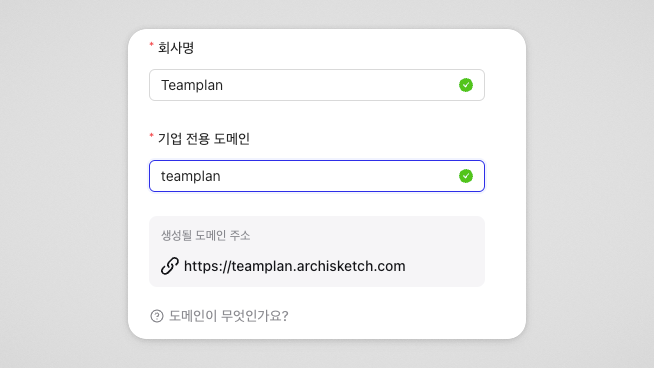
* Company name
* Can be entered as a combination of English, Korean, numbers, and special characters
* Company-exclusive domain
* What is a domain? It is the address used to find a website on the internet.
* Character limit: 5–20 characters
* Can be entered only using a combination of lowercase English letters and numbers
* Special characters not allowed
* Already existing domains cannot be used
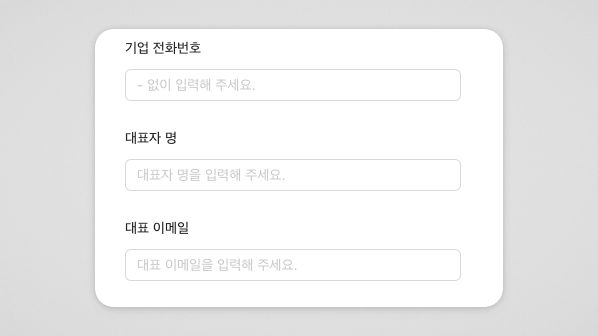
3. Company information (optional)
* Company phone number
* Representative name
* Representative email
This information is not required, and it can be added later in company settings after payment.
If entered, it will be included in the quotation details.
### Step 2. Set the number of accounts
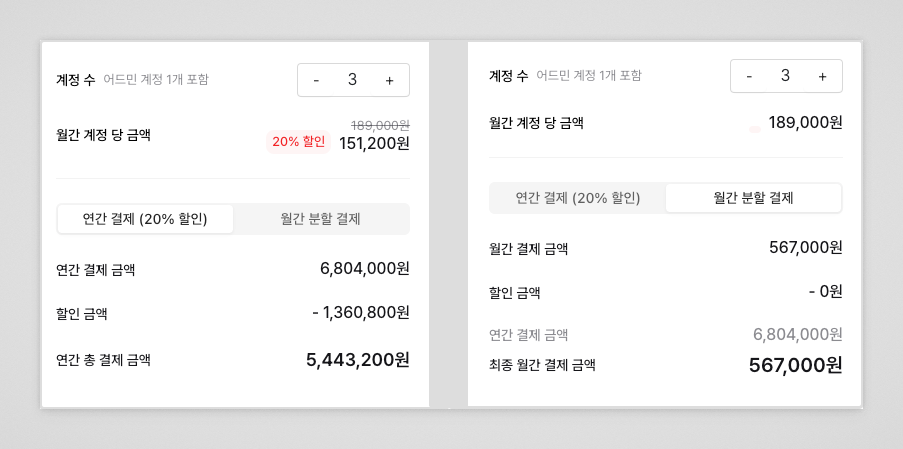
* Number of accounts that can be created: minimum 3 to maximum 50 (including administrator)
* Pricing is based on the number of accounts
* Accounts can be added/deleted after payment (cancellation fees may apply when deleting)
{% hint style="warning" %}
If you want to register 51 or more users, a separate enterprise contract is required. Please contact Archisketch.
{% endhint %}
### Step 3. Make payment
Subscription period: 1 year
Payment method: Annual payment / Monthly installment payment available
Annual payment (20% discount)
* 20% discount applied to the total subscription fee
Monthly installment payment
* No discount
* The total amount can be divided and paid on a monthly basis
{% hint style="info" %}
The subscription period is the same at 1 year for both annual and monthly payments.
{% endhint %}
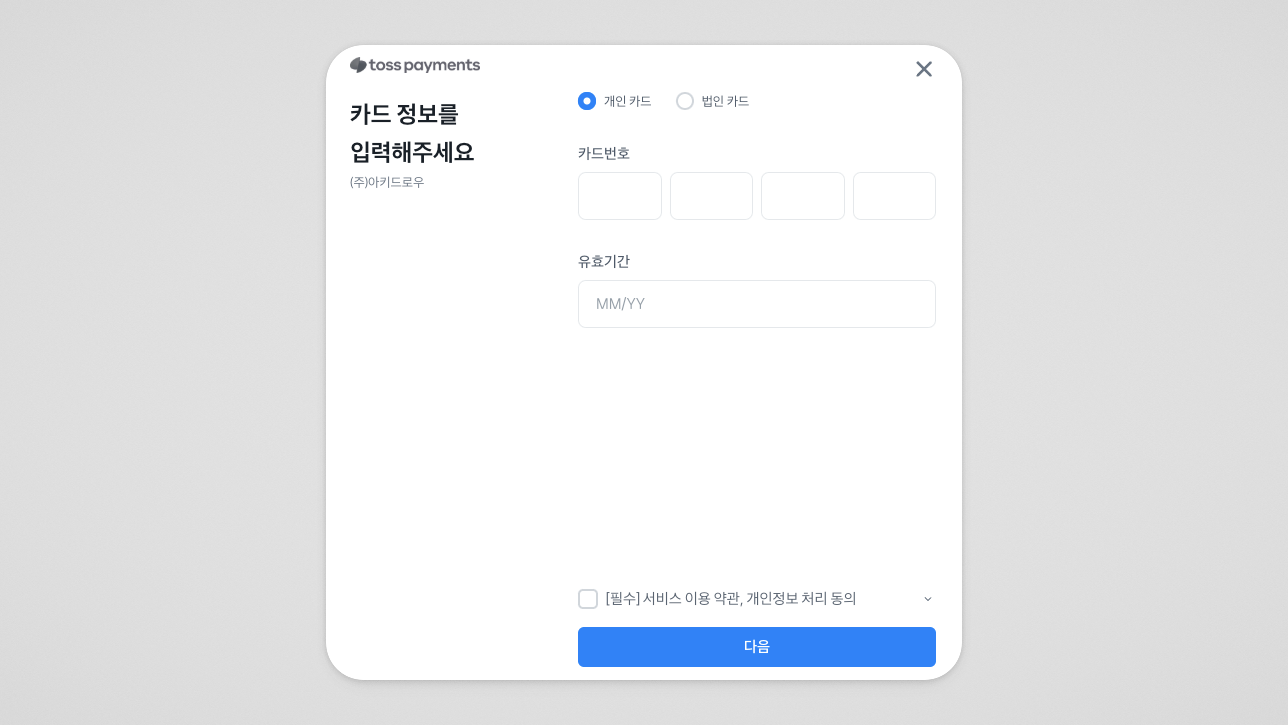
Card payment information
* Only credit/debit cards from domestic card issuers are accepted
* Overseas cards are not supported
**After payment completion**
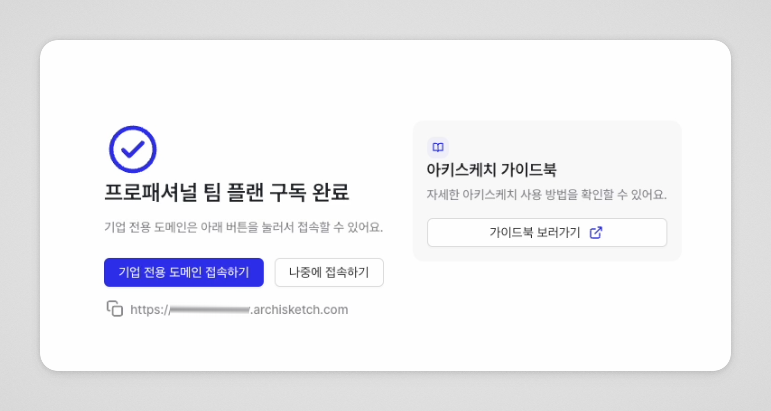
Once payment is completed **Subscription completion notification screen**will be provided, 📩 **Domain address and guidance**will be sent by email.
---
# Agent Instructions
This documentation is published with GitBook. GitBook is the documentation platform designed so that both humans and AI agents can read, navigate, and reason over technical content effectively. Learn more at gitbook.com.
## Querying This Documentation
If you need additional information that is not directly available in this page, you can query the documentation by asking a question.
Perform an HTTP GET request on the following URL with the `ask` and `goal` query parameters:
```
GET https://docs.archisketch.com/guide/user-en/pro-team-plan/team-plan-subscribe.md?ask=&goal=
```
`ask` is the immediate question: it should be specific, self-contained, and written in natural language.
`goal` is what the user is ultimately trying to achieve, the reason they need the answer. Sharing it helps GitBook give you a better, more relevant answer. A goal is most helpful when it describes the outcome the user wants rather than restating the question. For example, with `ask=how do I create an API token`, a goal like `automate deployments from our CI pipeline` lets GitBook tailor the answer to that use case.
The response will contain a direct answer to the question and relevant excerpts and sources from the documentation.
Use this mechanism when the answer is not explicitly present in the current page, you need clarification or additional context, or you want to retrieve related documentation sections.