> For the complete documentation index, see [llms.txt](https://docs.archisketch.com/llms.txt). Markdown versions of documentation pages are available by appending `.md` to page URLs; this page is available as [Markdown](https://docs.archisketch.com/guide/intro-jp/update-note/2026/202609/2026.09.10.md).
# \[2026.09.10] パーツ裁断エディタを追加し、マイプロジェクトページを刷新
## 1. ダッシュボード
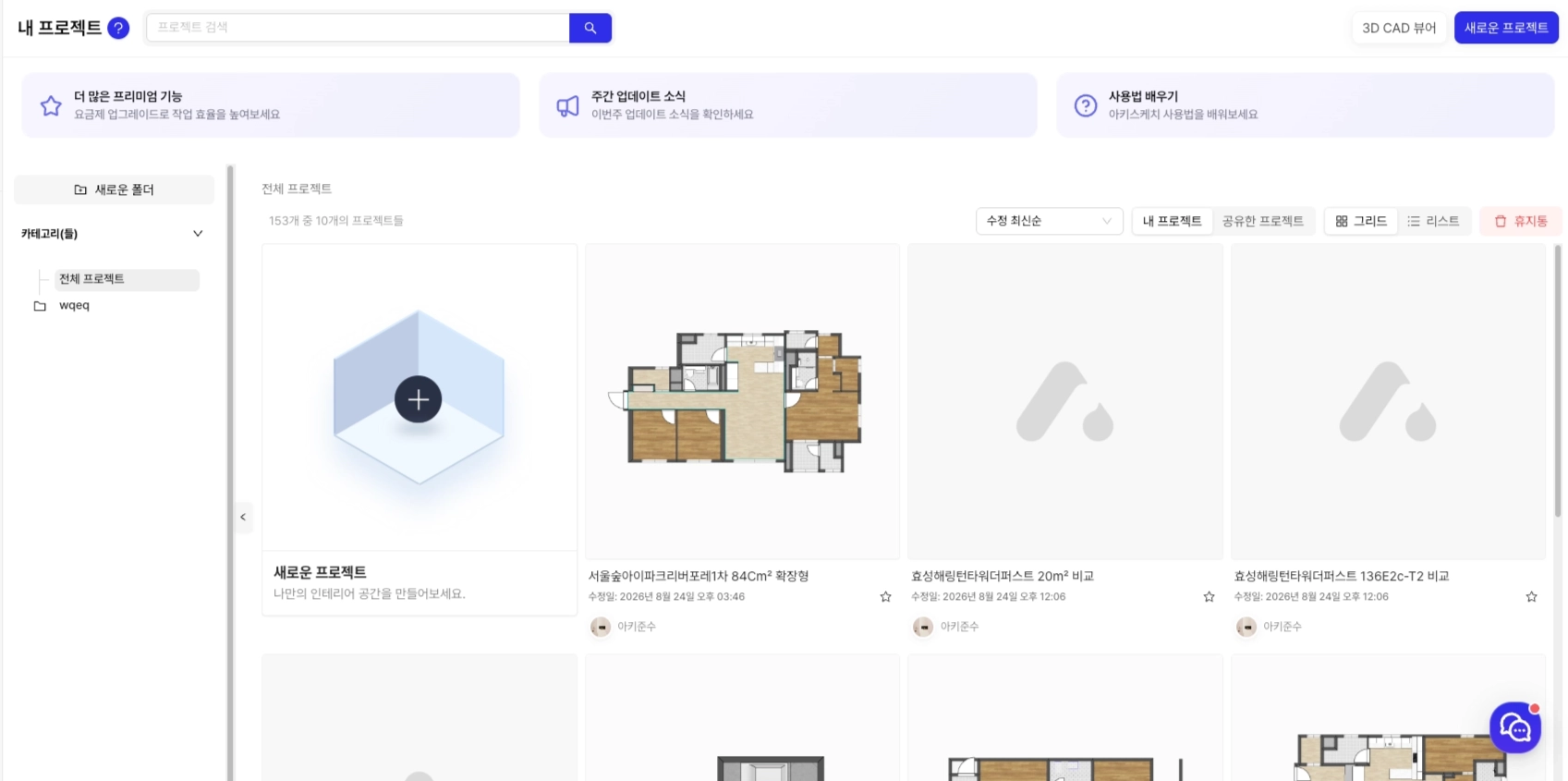
### (改善) マイプロジェクトページを刷新
マイプロジェクトページが新しくなりました!
プロジェクトをフォルダ別に整理して表示できます。新しいプロジェクトを作るときは、作りたい内容をAIに口頭で伝えると、そのまま作成してくれます。
**以前**
**以後**
### バグおよび課題の改善
* モバイルで「一番上へ」ボタンが動作しなかった問題を修正しました
* モバイル相談ページのUIとレイアウトが崩れていた部分を修正しました
* モバイル見積書画面で指でスクロールできなかった問題を修正しました
## 3. パラメトリックエディタ
### (新規) 部品カットエディタを追加
コンポーネントを基準に、原板(合板)のカット計画を自動で組んでくれるカットエディタを追加しました。部品一覧、原板レイアウト図、必要な原板数、カット効率を1画面で確認できます。配置候補が複数ある場合は、材料効率と実際の作業性をあわせて検討し、1つを選びます。
パネルが長方形でない場合は、実際の形状を包む外接長方形を基準にカット寸法を設定し、穴や溝は後加工領域として別に分けます。非表示の部品や3Dモデルのようなカット対象ではない要素は除外され、その理由も画面に表示されます。
ヘッダーの成果物メニューは `保存 / 出力 / カット`から `保存 / 書き出し`に簡略化しました。書き出しを押すと、設計図の出力と部品のカットが表示されます。
書き出しボタンをクリックすると、設計図の出力と部品のカットのボタンを選択できます。
書き出しボタンをクリックすると、設計図の出力と部品のカットのボタンを選択できます。
カットエディタのモーダル
カットエディタのモーダル
### バグおよび課題の改善
* 企業パラメータの非表示条件をコンポーネントごとに編集して保存します
* パラメータ編集フォームが長くなっても、保存/キャンセルボタンは下部に固定されています
* 配置オフセットが保存されず、バウンディングボックスにも反映されなかった問題を修正しました
* MathInputに入力した値は、保存後に再度開いても残っています
---
# Agent Instructions
This documentation is published with GitBook. GitBook is the documentation platform designed so that both humans and AI agents can read, navigate, and reason over technical content effectively. Learn more at gitbook.com.
## Querying This Documentation
If you need additional information that is not directly available in this page, you can query the documentation dynamically by asking a question.
Perform an HTTP GET request on the current page URL with the `ask` query parameter, and the optional `goal` query parameter:
```
GET https://docs.archisketch.com/guide/intro-jp/update-note/2026/202609/2026.09.10.md?ask=&goal=
```
`ask` is the immediate question: it should be specific, self-contained, and written in natural language.
`goal` is optional and describes the broader end goal you are ultimately trying to accomplish on behalf of the user. GitBook uses it to tailor the answer towards what is most useful for that goal.
The response will contain a direct answer to the question and relevant excerpts and sources from the documentation.
Use this mechanism when the answer is not explicitly present in the current page, you need clarification or additional context, or you want to retrieve related documentation sections.