> For the complete documentation index, see [llms.txt](https://docs.archisketch.com/llms.txt). Markdown versions of documentation pages are available by appending `.md` to page URLs; this page is available as [Markdown](https://docs.archisketch.com/guide/intro-jp/update-note/2026/202604.md).
# 2026年4月アップデート
この4月、エディターで図面を扱う方法がさらに便利になりました。
特に **階層(レイヤー)管理機能が大幅に刷新**され、
設計過程で頻繁に調整する設定を、1か所で素早く扱えるようになりました。
***
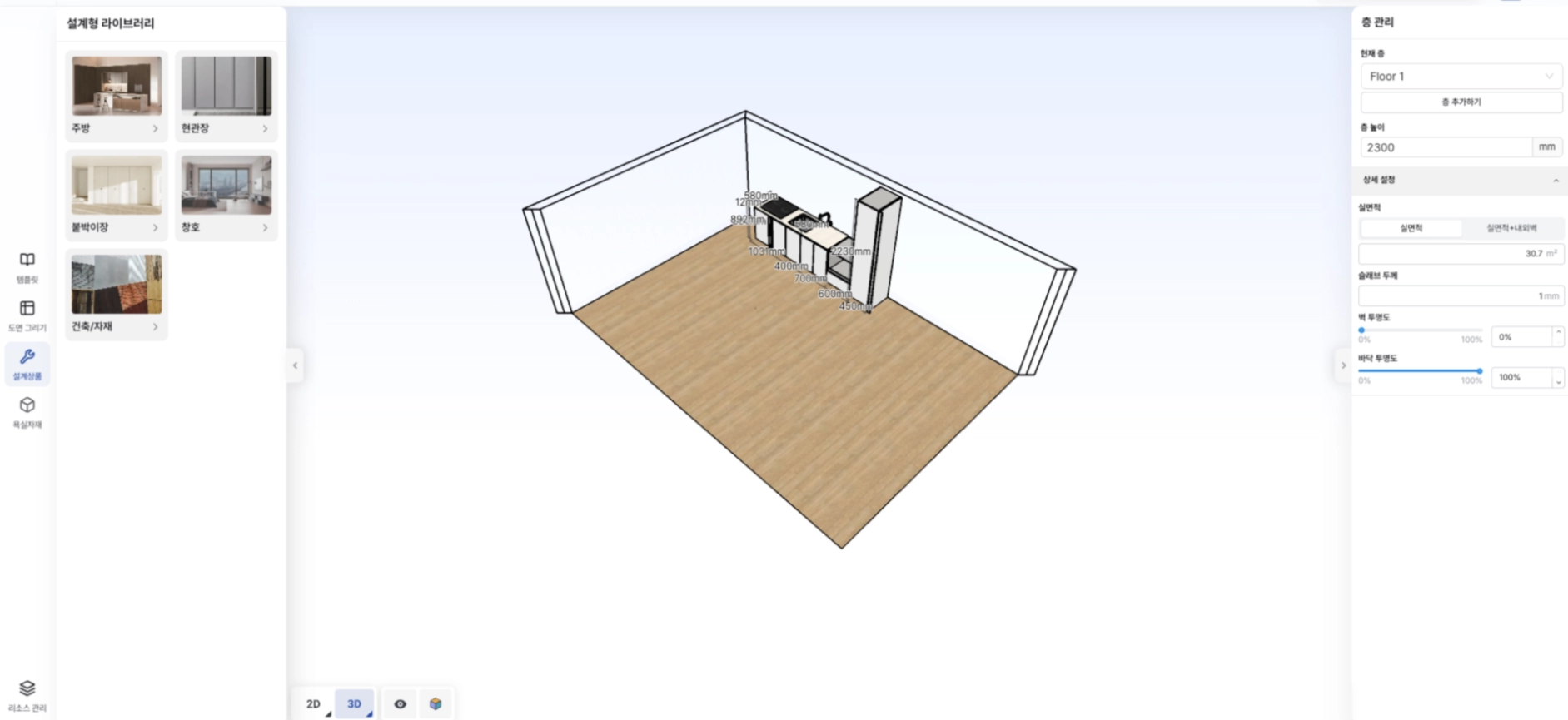
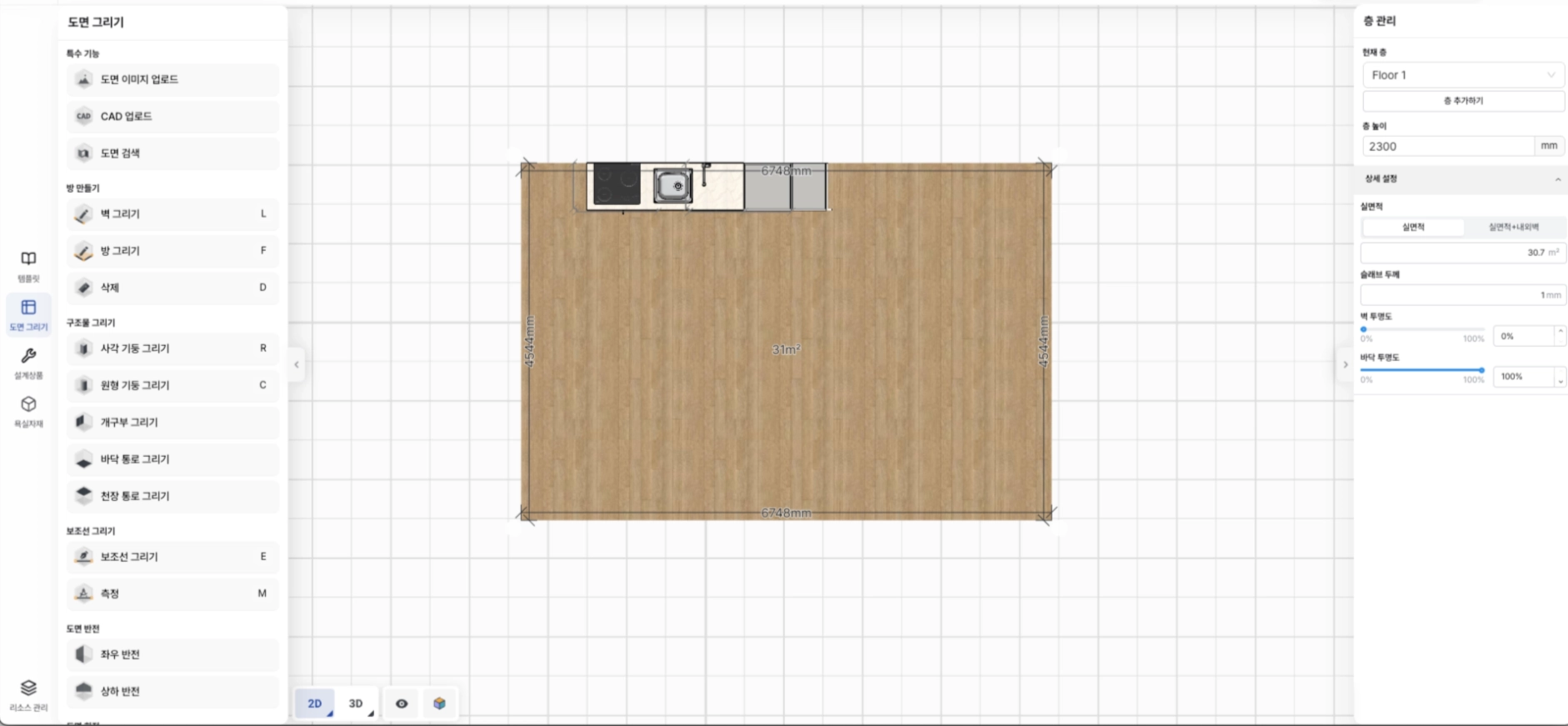
最も目立つ変化は、従来の階層管理ページが **階層管理**と **リソース管理**の2つのページに分かれた点です。
**変更前**には、階高の設定、階層の追加・作成、そして各階層に含まれるスペースおよびアイテムの確認が1つのページにまとまっていました。

**変更後**階層管理ページでは、階高だけでなく実床面積、スラブ厚、壁/床の透明度のような詳細設定までその場で調整でき、このパネルは右側に常に表示されているため、作業の流れが途切れません。

リソース管理ページは、各階層に含まれるスペースとアイテムを全体的に確認できる別画面として分離されました。

***
階層管理パネルでは **実面積**と **実面積 + 内外壁を含む面積** 情報をすぐに確認でき、階層全体のサイズも直接修正できます。

ただし、階層全体のサイズを変更すると、仕上げ材エディターで修正した壁・床・天井の仕上げ材がデフォルト値に初期化され、
天井エディターで作成した天井構造物は削除される点にご注意ください。
変更時には以下のような案内メッセージが表示されます。

***
**スラブ厚** も同じ階層管理パネルで設定できます。入力値を変更すると、該当する階層全体にすぐ反映されます。
スラブ厚さ 1

スラブ厚さ 1000

**壁と床の透明度**も個別に調整できるようになりました。
2Dと3Dの両方で確認できるため、図面確認やプレゼンテーション用途に便利に使えます。
壁の透明度 0(2D)

壁の透明度 0(3D)
床の透明度 0(2D)
床の透明度 0(3D)

***
レンダースタジオにも変更があります。
**内壁/外壁を隠すオプション**が新しく追加され、壁の透明化(Culling)設定がレンダリング結果にそのまま反映されます。
壁を透明にしたり、内壁だけを隠したり、外壁だけを隠したりするなど、さまざまな組み合わせでレンダリングできます。
壁の透明化レンダリング

外壁を隠すレンダリング

内壁を隠すレンダリング(+壁の透明化)

内壁・外壁の両方を隠す

***
**仕様書エディター**には天井のコンテンツが追加されました。
設計した図面の全体天井図面が自動で生成され、天井アイテムの配置状態をひと目で確認できます。

***
3Dモードで作業される方にも朗報があります。
従来は2Dモードでしかできなかった **一列配列コピー**が、これからは3Dモードでもサポートされます。
以前 — 2Dモードでのみ使用可能

以後 — 3Dモードでも使用可能


***
複数のアイテムをまとめて扱うときも、さらに便利になりました。
**グループ属性機能**が追加され、複数のアイテムを選択したあと、角度、位置、高さなどを一度に設定できます。

***
最後に **パラメトリックエディター**でも改善が行われました。モデリング、パラメトリック部品アイテム、全体アイテムをコピー・貼り付けできるようになり、異なるブラウザー間でも(例:Chrome ↔ Edge)正常に動作します。
***
> **出典**: \[2026.04.23] エディター機能改編、\[2026.04.30] エディター機能改編
---
# Agent Instructions
This documentation is published with GitBook. GitBook is the documentation platform designed so that both humans and AI agents can read, navigate, and reason over technical content effectively. Learn more at gitbook.com.
## Querying This Documentation
If you need additional information that is not directly available in this page, you can query the documentation by asking a question.
Perform an HTTP GET request on the following URL with the `ask` and `goal` query parameters:
```
GET https://docs.archisketch.com/guide/intro-jp/update-note/2026/202604.md?ask=&goal=
```
`ask` is the immediate question: it should be specific, self-contained, and written in natural language.
`goal` is what the user is ultimately trying to achieve, the reason they need the answer. Sharing it helps GitBook give you a better, more relevant answer. A goal is most helpful when it describes the outcome the user wants rather than restating the question. For example, with `ask=how do I create an API token`, a goal like `automate deployments from our CI pipeline` lets GitBook tailor the answer to that use case.
The response will contain a direct answer to the question and relevant excerpts and sources from the documentation.
Use this mechanism when the answer is not explicitly present in the current page, you need clarification or additional context, or you want to retrieve related documentation sections.