> For the complete documentation index, see [llms.txt](https://docs.archisketch.com/llms.txt). Markdown versions of documentation pages are available by appending `.md` to page URLs; this page is available as [Markdown](https://docs.archisketch.com/guide/intro-en/update-note/2026/202608/20260820.md).
# \[2026.08.20] Added customer·consultation management statistics charts and improved account settings·real-time collaboration
## 1. Dashboard
### 1.1. (Improvement) Improved page-specific help and tutorial usability
The way clicking Help opened old product videos or images in a separate modal **We changed the old method where tapping Help would open old videos or images in a separate modal to**was changed to.
Each step is labeled with a title and description, and the UI being described is spotlighted. The progress steps are displayed not as dots but **`1 / 3` as numbers like**and you can act according to each step using Previous, Next, and Done buttons.
Added to the **We newly added help to 14 pages including orders, customers, project settings, trash, template creation, drawing creation/edit/review, home, and AI furniture upload**. **We changed drawings from being guided only on the list screen to continue through the creation/edit/review stages** so you can view them.
Before
After
***
## 2. Editor
### 2.1. (Improvement) Ceiling Editor mobile/tablet support and editing feature improvements
The ceiling editor (Surface Designer) **made available on mobile and tablets as well** We added a new mobile-only header and tool area, library bottom sheet, and property panel to fit small screens and touch environments. The tools and editing logic were unified with the desktop version, so the workflow is the same no matter which device you open it on.
To allow editing with your fingers **drag-to-draw and long-press to open the menu**were added. You can draw lines or areas directly by hand, and actions that were previously only available by right-clicking, such as delete, chamfer, and molding replacement, can now be performed by touch. We also added **tool guide**an indicator showing the currently selected tool and work state, `Escape` so you can confirm or cancel the work and exit drawing mode without using keys.
We also fixed editing features that didn't work properly on touch. We fixed the issue where a section wouldn't be created even when an area was enclosed with lines, and **We fixed the issue where dividing lines into areas did not create partitions, and** expanded the touch detection range for auxiliary lines
also cleaned up UI issues that occurred on narrow screens. **issues where the step height input value would wrap onto two lines, the zoom button would jump to the center of the canvas, or the mobile molding library would get cut off**were fixed, and the color of the gallery icon in the drawing header was also adjusted. The minimap, which used to cover most of the screen, is no longer displayed at all on small screens.
***
## 3. Archisketch AI Agent
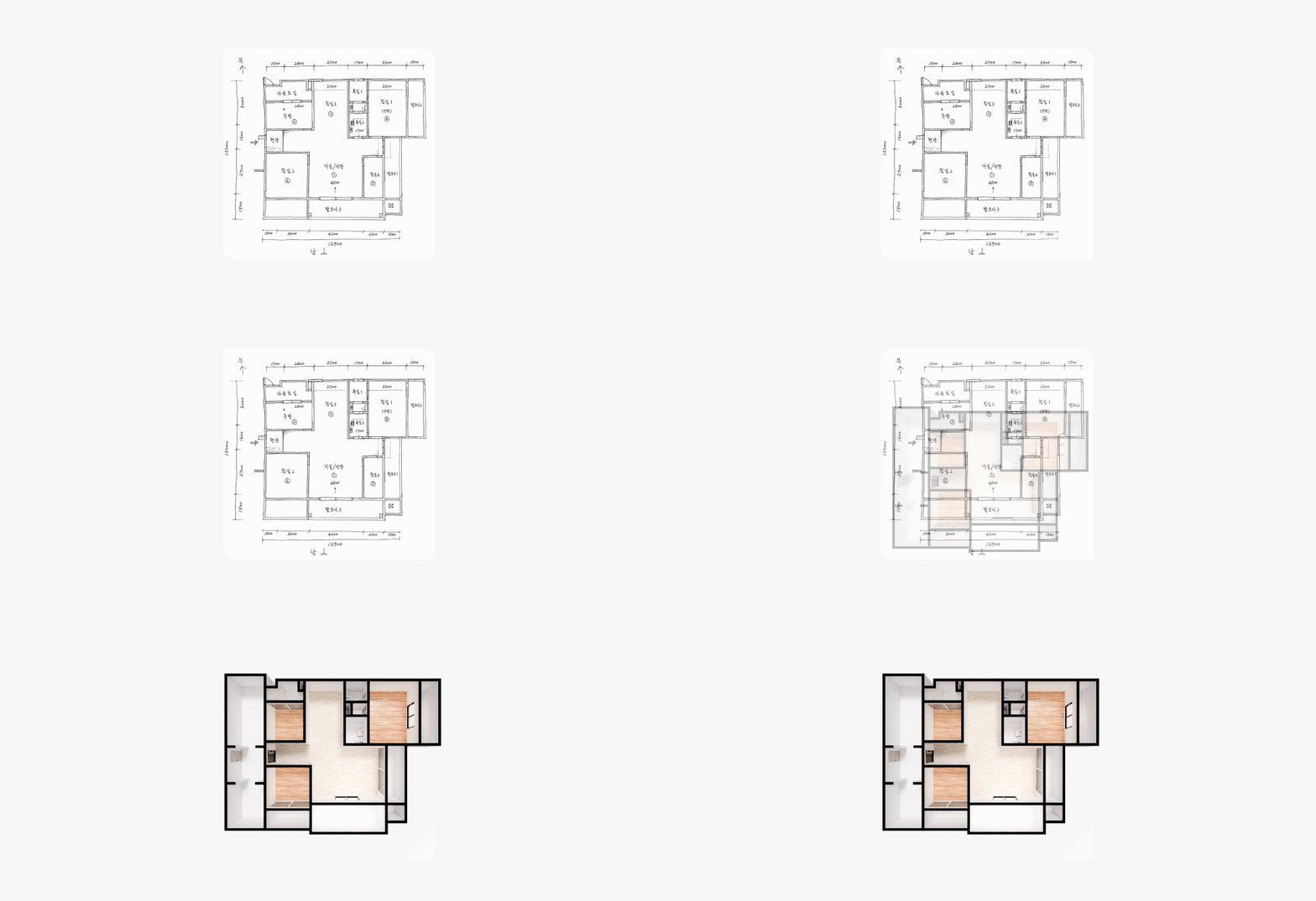
We upgraded AI Agent's drawing processing capabilities. Drawing photos that failed conversion due to low image quality are now directly corrected by AI and converted, and even without a drawing file, you can create a drawing from text description alone.
### 3.1. (Improvement) AI auto-correction for drawing photos
Blurred or low-quality drawing photos often failed 3D conversion. Now AI Agent first checks the state of the uploaded image and, if necessary, corrects it before attempting 3D conversion.
### 3.2. (New) Generate drawings from scratch using natural language
If you write in the AI Agent chat window a sentence describing the space shape or furniture placement conditions you want (e.g., "Draw me a 20-pyeong apartment floor plan with 2 rooms"), it will create a floor plan image according to that description and then proceed to 3D conversion.
### ✨ Information on distributing trial credits to celebrate the update
We are running a promotion to distribute trial credits so you can try the upgraded features freely.
You can use them by clicking the trial credit grant button directly in the info modal shown when you access the AI Agent page.
* **Event period:** Until 26.09.10 (KST)
* **Eligibility and quantity:** Once per account (1 credit)
* **How to participate:** In the info modal **\[Get Trial Credit]** Granted immediately when you click the button
* **Trial credit validity period:** Available for use for 30 days from the time you click Get Credit
Trial credits expire automatically after 30 days from issuance.
\*This event may be changed or ended early without prior notice depending on company circumstances.
---
# Agent Instructions
This documentation is published with GitBook. GitBook is the documentation platform designed so that both humans and AI agents can read, navigate, and reason over technical content effectively. Learn more at gitbook.com.
## Querying This Documentation
If you need additional information that is not directly available in this page, you can query the documentation dynamically by asking a question.
Perform an HTTP GET request on the current page URL with the `ask` query parameter, and the optional `goal` query parameter:
```
GET https://docs.archisketch.com/guide/intro-en/update-note/2026/202608/20260820.md?ask=&goal=
```
`ask` is the immediate question: it should be specific, self-contained, and written in natural language.
`goal` is optional and describes the broader end goal you are ultimately trying to accomplish on behalf of the user. GitBook uses it to tailor the answer towards what is most useful for that goal.
The response will contain a direct answer to the question and relevant excerpts and sources from the documentation.
Use this mechanism when the answer is not explicitly present in the current page, you need clarification or additional context, or you want to retrieve related documentation sections.