> For the complete documentation index, see [llms.txt](https://docs.archisketch.com/llms.txt). Markdown versions of documentation pages are available by appending `.md` to page URLs; this page is available as [Markdown](https://docs.archisketch.com/guide/intro-en/update-note/2026/202607/20260730.md).
# \[2026.07.30] Improved quote form creation UX and strengthened part editing in the parametric editor
## 1. Dashboard
### 1.1. (Improved) Quotation detail page improved into an Excel form
{% tabs %}
{% tab title="🌟Improvement completed" %}
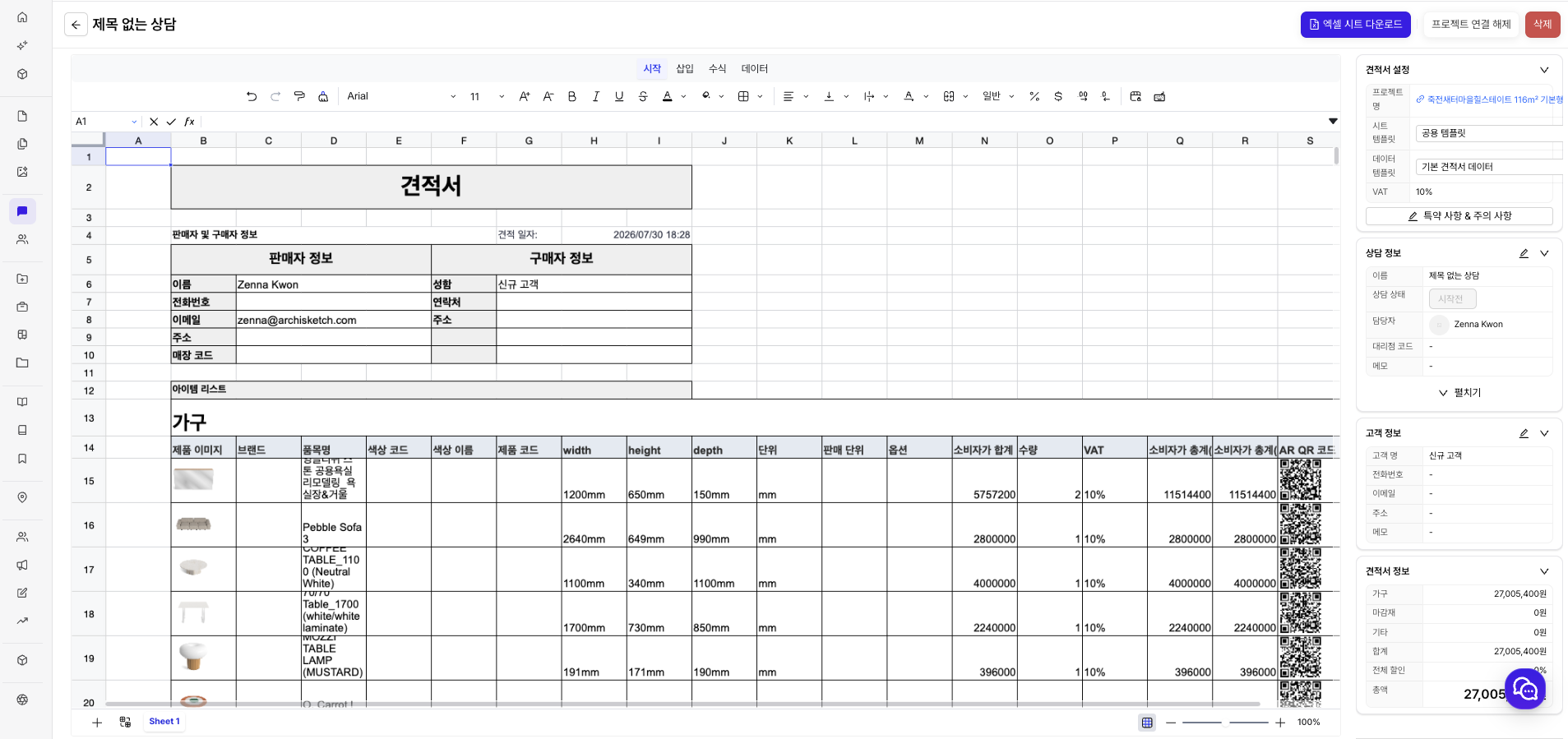
The quotation detail page in the dashboard has been changed to look similar to Excel.
You can directly edit each cell’s item and value, and depending on your company’s workflow, it can also be provided as a view-only quotation that cannot be edited.
{% endtab %}
{% tab title="Existing" %}

{% endtab %}
{% endtabs %}
## 2. Editor
### 2.1. (Improved) Quotation detail page UX improved
We reduced the steps for creating and managing quotations.
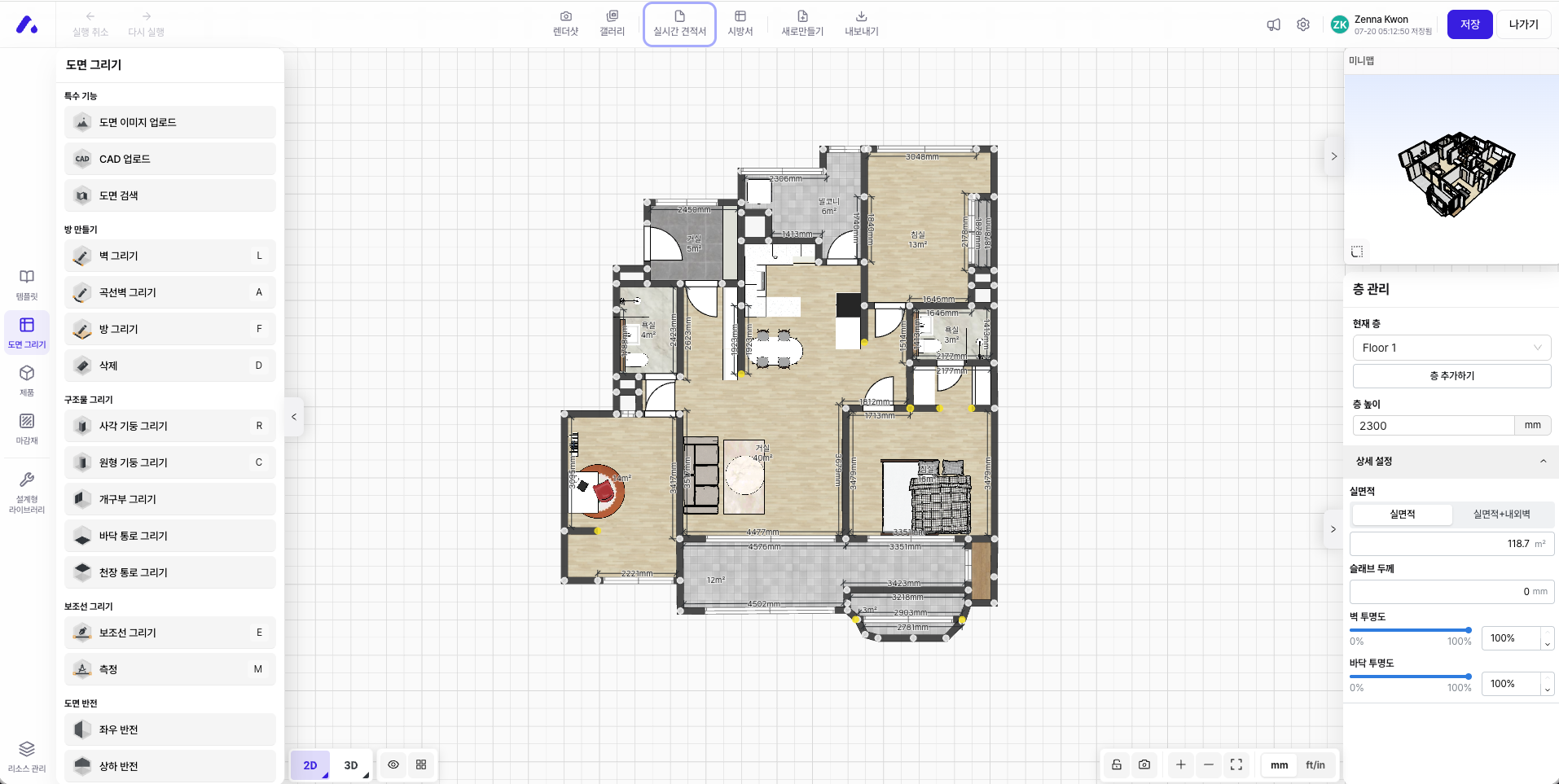
Previously, you had to go through real-time quotation → create quotation → enter consultation info → quotation detail page, but now you go directly from the real-time quotation to a detail page in the form of an Excel or Google Spreadsheet.
On the detail page, you can directly edit each cell’s item and value, and depending on the company’s workflow, it can also be provided as a view-only screen.
#### 🌟Improvement
{% stepper %}
{% step %}
**Enter the drawing editor**
Click 'Real-time Quotation' in the top menu bar
{% endstep %}
{% step %}
**Enter the quotation detail page in Excel format**
Go directly to the quotation detail page
{% endstep %}
{% endstepper %}
Existing
{% stepper %}
{% step %}
**Enter the drawing editor**

{% endstep %}
{% step %}
**Enter the real-time quotation page**

{% endstep %}
{% step %}
**Enter consultation info**

{% endstep %}
{% step %}
**Enter quotation detail page**

{% endstep %}
{% endstepper %}
## 3. Parametric Editor (Modular)
### 3.1. (Improved) Improved UX for saving and creating parts
We improved the usability of the part save/create modal.
In the main modals, you can confirm with the Enter key and cancel with the Backspace key (not applied while typing text).
When overwriting a part, you do not need to reselect the category; it is updated immediately while keeping the existing save location and classification.
### 3.2. (New) Added multi-select and batch edit for components
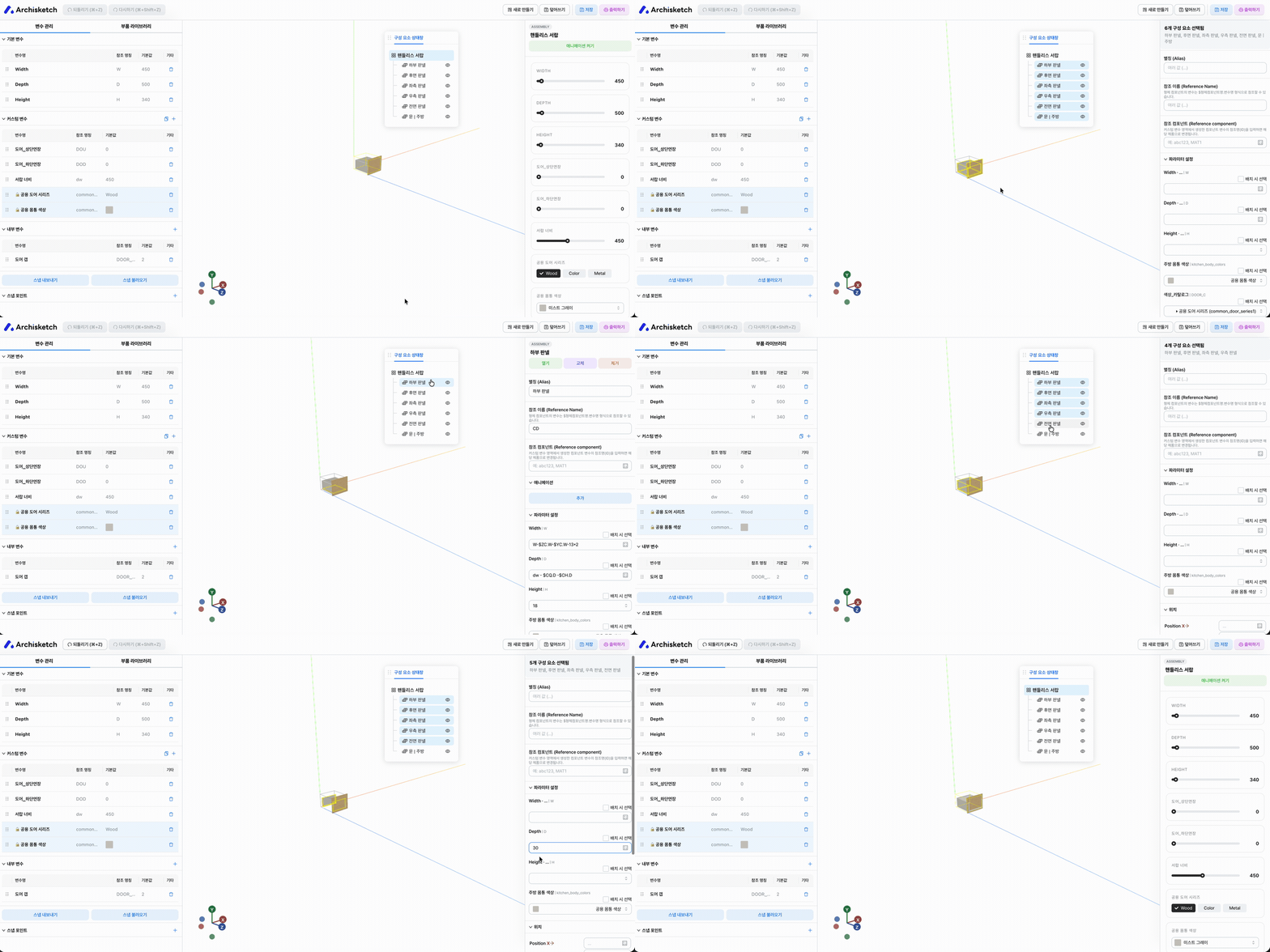
You can select and edit multiple child components at once in the component tree and the 3D viewer. In the component tree, `Shift`·`Ctrl`·`Cmd` keys and clicks can be used, and in the 3D viewer, `Shift` you can select multiple items with the key and click, and in the 3D viewer, `Shift` you can select components within an area all at once by dragging while holding the key.
When two or more are selected, the right panel switches to batch edit mode, allowing attributes such as alias, reference info, parameters, position, rotation, mirror, and hide conditions to be applied to all components at once.
Selected components can be copied and pasted, and `Backspace` or `Delete` you can delete them all at once with the key. While editing a text field or when a modal is open, accidental deletion is prevented.
Undo and redo buttons have been added at the top, so you can `Cmd/Ctrl + Z`to undo, and `Cmd/Ctrl + Shift + Z` or `Ctrl + Y`to redo.
### 3.3. (New) Added part drag-and-drop placement feature
You can drag items from the part library onto the 3D screen and place them as child parts of parametric products. When you drag a part, the product’s bounding box is shown as a six-sided shape, and the face under the mouse is highlighted with an outline and face color so you can preview the placement location. If you drop it on the desired face, it is automatically aligned to the center of that face, and by calculating the part’s size and origin position together, the outer surface of the actual shape is placed flush against the bounding box face.
You can use it in the bounding box created in Variable Management > Bounding Box or in the bounding box automatically calculated based on child parts.

### 3.4. (New) Added variable export/import feature
The root component’s default variables, custom variables, and internal variables can be copied and pasted via the clipboard.
Use the export button at the top of each variable section to copy the variable list to the clipboard, and the import button to paste it into another component. During import, the variable format is checked automatically, and items with duplicate names or reserved names that cannot be used are excluded; after processing, the number of added and excluded variables is shown.
In addition, tooltips throughout the parametric editor and viewer have been unified to use a dark background and rounded corners.
### 3.5. (New) Added chamfer feature to the panel shape editor
A chamfer option has been added to the vertices of the panel shape editor.
Previously, only filleting, which rounds corners, was available, but now you can choose the desired corner style among none, fillet, and chamfer. When you select chamfer and enter a distance, both sides are cut at an angle by the specified distance based on the vertex, and when switching between fillet and chamfer, the existing length value is preserved.
It can be applied to both the panel outline and hole corners, and the changed shape is reflected equally in the 2D editor, 3D panel view, and drawing export results.

---
# Agent Instructions
This documentation is published with GitBook. GitBook is the documentation platform designed so that both humans and AI agents can read, navigate, and reason over technical content effectively. Learn more at gitbook.com.
## Querying This Documentation
If you need additional information that is not directly available in this page, you can query the documentation dynamically by asking a question.
Perform an HTTP GET request on the current page URL with the `ask` query parameter, and the optional `goal` query parameter:
```
GET https://docs.archisketch.com/guide/intro-en/update-note/2026/202607/20260730.md?ask=&goal=
```
`ask` is the immediate question: it should be specific, self-contained, and written in natural language.
`goal` is optional and describes the broader end goal you are ultimately trying to accomplish on behalf of the user. GitBook uses it to tailor the answer towards what is most useful for that goal.
The response will contain a direct answer to the question and relevant excerpts and sources from the documentation.
Use this mechanism when the answer is not explicitly present in the current page, you need clarification or additional context, or you want to retrieve related documentation sections.