> For the complete documentation index, see [llms.txt](https://docs.archisketch.com/llms.txt). Markdown versions of documentation pages are available by appending `.md` to page URLs; this page is available as [Markdown](https://docs.archisketch.com/guide/faq-jp/service/service-info.md).
# サービス案内
デバイス購入、推奨スペック、会員退会などサービス全般に関する質問を集めました。
## デバイスを購入できますか?
現在、Archisketch のデバイスは販売しておりません。ご利用のお手伝いができず申し訳ございません。
## PCの推奨スペックはありますか?
ArchisketchはWebベースのプログラムで、ネットワーク速度やインターネット環境がサービス利用に最も大きく影響します。快適にご利用いただくため、安定したネットワーク環境をおすすめしています。また、より安定的かつ効率的にサービスをご利用いただくため、以下の最低推奨スペックをご案内します。
* CPU: Intel i5以上
* RAM: 16GB以上
* 外部グラフィックカード: NVIDIA RTX 2060以上
## タブレットで使用できますか?
はい、タブレットでもご利用いただけます。
Archisketch 図面エディタは **タッチドラッグ**をサポートしており、タブレットでもマウスなしで指やペンで直接図面を描くことができます。タブレットで利用可能な主な機能は次のとおりです。
* **壁・曲線壁・部屋** の描画と削除
* **四角/円形柱、開口部(ドア・窓)** の描画
* **床・天井通路** の描画
* **補助線** の描画、 **計測**, **左右反転**
* **図面画像・CADアップロード** および **図面検索**で平面図を読み込み
* **2D・3D切り替え**, **フロア(Floor)の追加・管理**、実面積・壁/床の透明度などの詳細設定
* **家具配置・仕上げ材の適用** および **3Dビュー** 確認
また、タブレットだけでなく **モバイルと電子黒板**でも同じ環境でご利用いただけるため、現地実測・顧客相談・デモなどさまざまな場面で活用いただけます。
## Archisketchを退会したいです
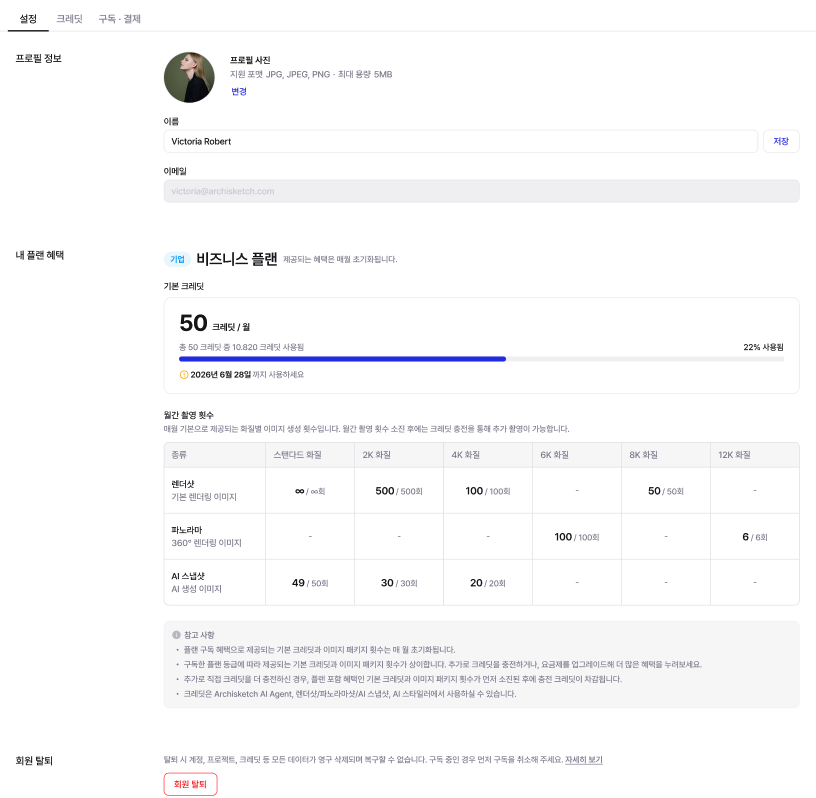
ダッシュボード右側に表示されるプロフィールを押して\[アカウント設定]にアクセスした後、\[会員退会]をクリックするとアカウントを退会できます。
{% hint style="warning" %}
他サイトでArchisketchをご利用中の場合、データが連動しているため、Archisketchだけを別途退会することはできません。
{% endhint %}
---
# Agent Instructions
This documentation is published with GitBook. GitBook is the documentation platform designed so that both humans and AI agents can read, navigate, and reason over technical content effectively. Learn more at gitbook.com.
## Querying This Documentation
If you need additional information that is not directly available in this page, you can query the documentation by asking a question.
Perform an HTTP GET request on the following URL with the `ask` and `goal` query parameters:
```
GET https://docs.archisketch.com/guide/faq-jp/service/service-info.md?ask=&goal=
```
`ask` is the immediate question: it should be specific, self-contained, and written in natural language.
`goal` is what the user is ultimately trying to achieve, the reason they need the answer. Sharing it helps GitBook give you a better, more relevant answer. A goal is most helpful when it describes the outcome the user wants rather than restating the question. For example, with `ask=how do I create an API token`, a goal like `automate deployments from our CI pipeline` lets GitBook tailor the answer to that use case.
The response will contain a direct answer to the question and relevant excerpts and sources from the documentation.
Use this mechanism when the answer is not explicitly present in the current page, you need clarification or additional context, or you want to retrieve related documentation sections.