> For the complete documentation index, see [llms.txt](https://docs.archisketch.com/llms.txt). Markdown versions of documentation pages are available by appending `.md` to page URLs; this page is available as [Markdown](https://docs.archisketch.com/guide/enterprise-jp/parametric-library/component-library.md).
# 部品ライブラリ
部品ライブラリは、設計情報を含む部品を管理するライブラリです。
## 部品とは
部品は、規格情報やパラメトリック設計情報を含むオブジェクトです。
### 部品の種類(タイプ)
部品には3種類のタイプがあります。
#### 1. モデリング
* **モデリング部品は、モデリングライブラリで定義したモデリングを1つ持つ部品**で、組み合わせ部品およびグループ部品の基礎になります。
* モデリングのアップロード時に自動で生成され、部品作成時にモデリングをアップロードして作成することもできます。
#### 2. グループ
* **グループ部品は、1つ以上の他の部品をグループ化した部品**で、図面配置時に複数の部品のうち1つを
選択して使用する部品です。
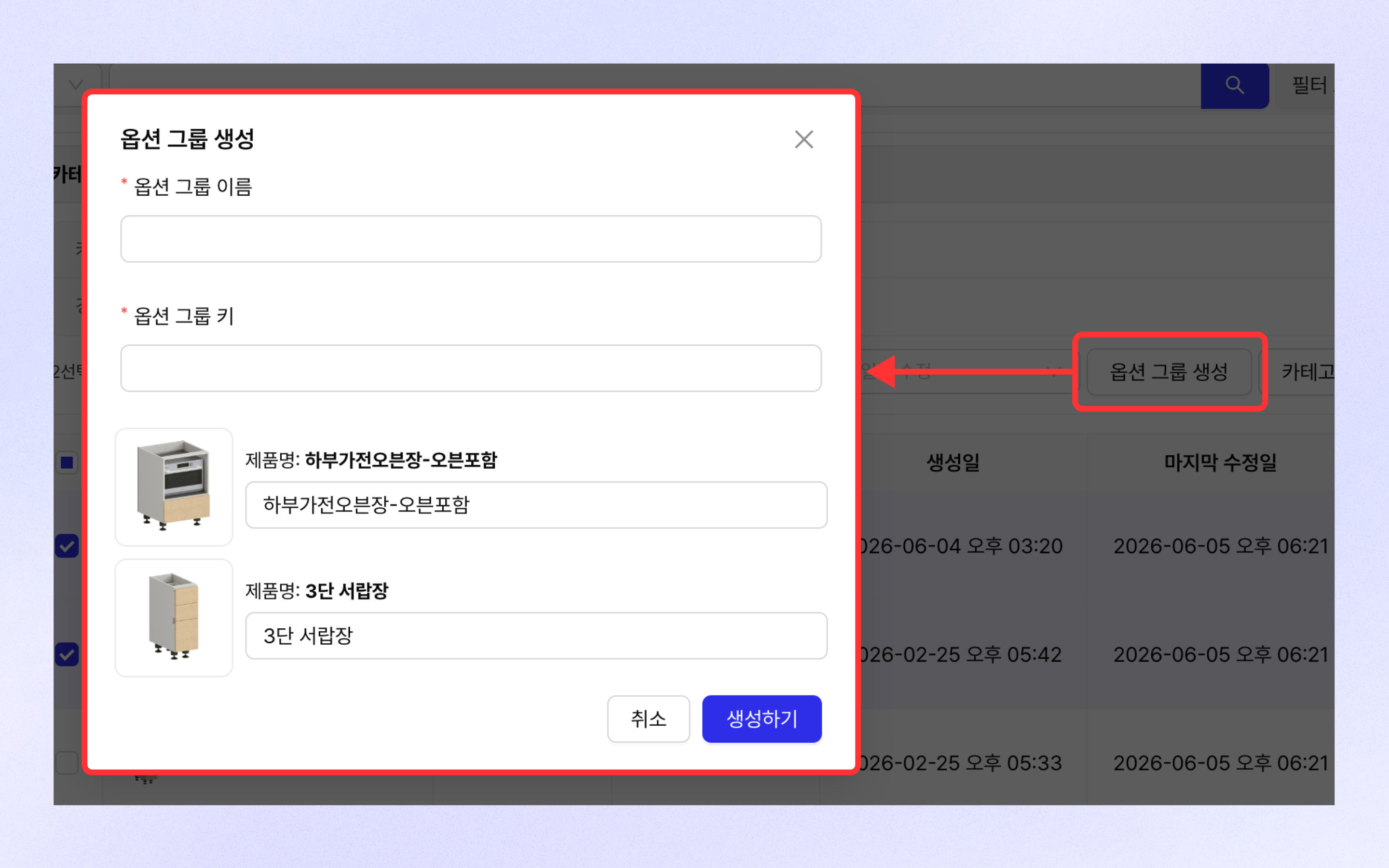
* 「部品ライブラリ > チェックボックスで部品を選択 > オプショングループ作成ボタンをクリック」を通じて作成できます。
* \[キー - 値]形式で構成されたオプション情報を持ち、そのオプションで複数の部品の中から1つを選択して使用します。
#### 3. 組み合わせ
* **組み合わせ部品は、1つ以上のモデリング部品、または別の組み合わせ部品を組み合わせて作成した部品**で、実際の部品の組み合わせは部品エディタを通じて行います。
* グループ部品とは異なり、図面配置時に組み合わせに必要なすべての部品が必要です。\
ただし、基本情報のみを含む部品も組み合わせ部品として扱われます。
* 部品作成時にモデリングをアップロードせずに保存するか、部品エディタに移動した後、直接部品を組み合わせて作成できます。
## 部品の確認
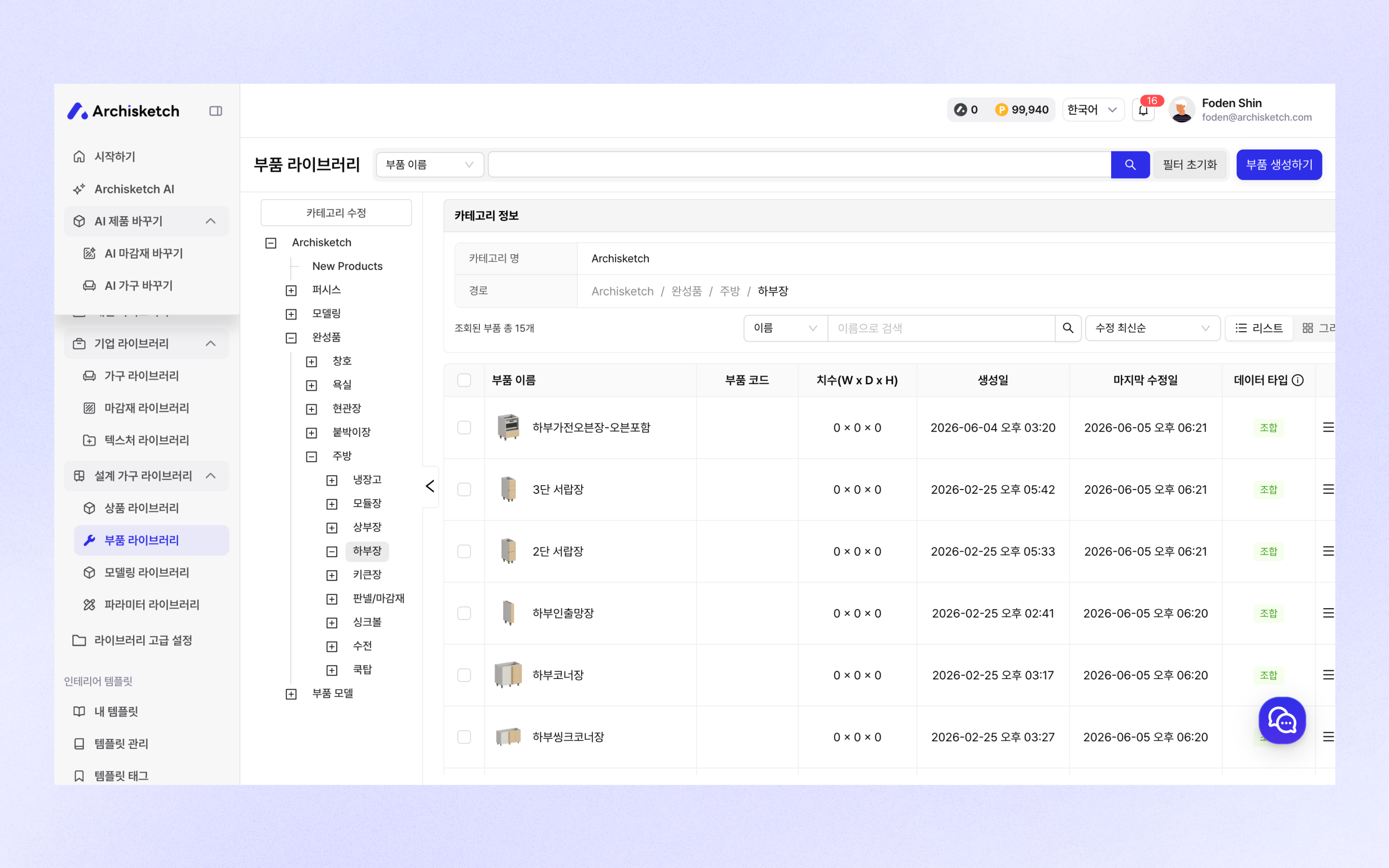
設計家具ライブラリ > 部品ライブラリで部品一覧を確認できます。
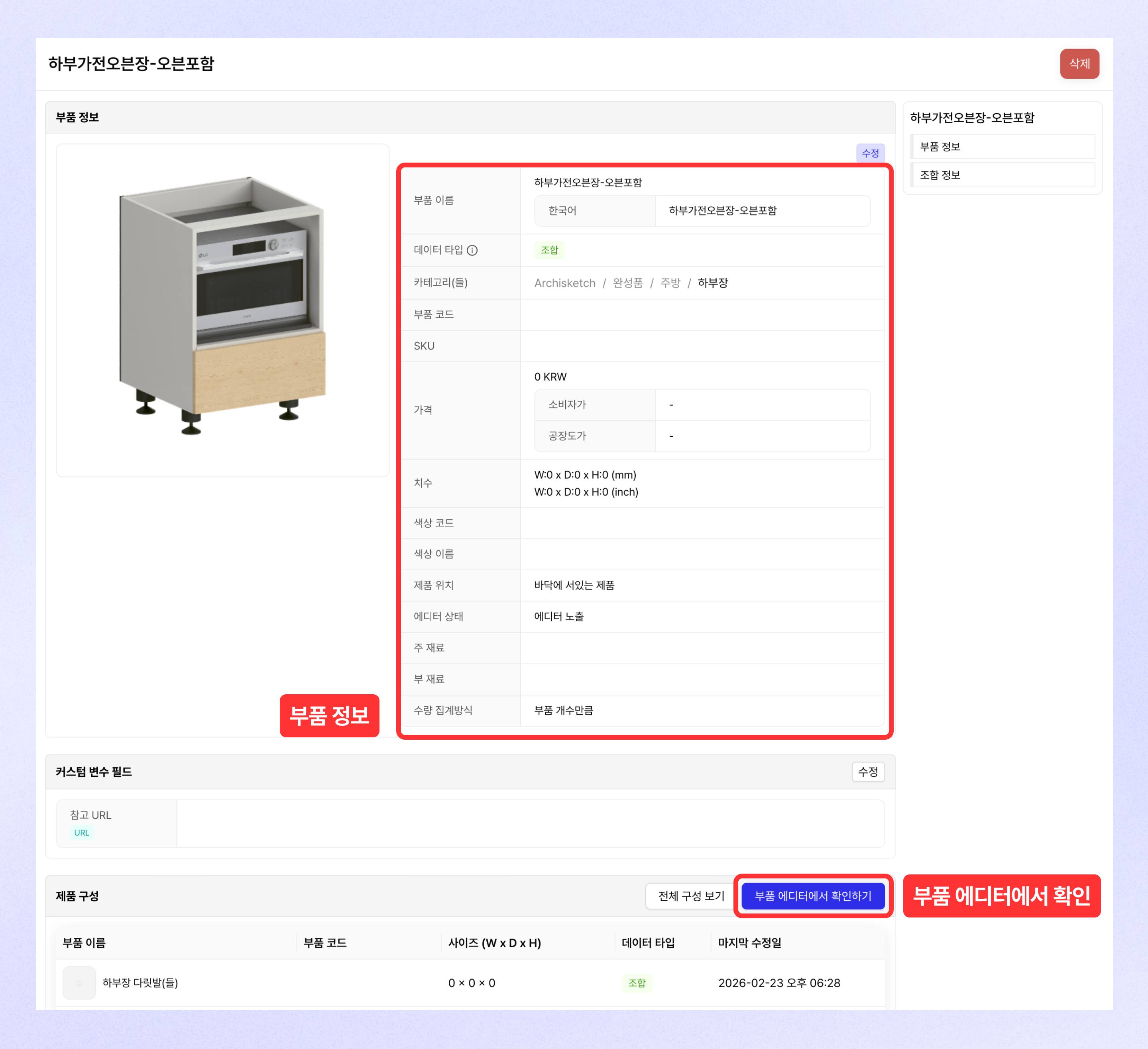
部品詳細ページでは部品情報を確認でき、 **\[部品エディタで確認する]** ボタンをクリックして、該当部品を部品エディタで開いて確認できます。
## 部品作成
### モデリング & 組み合わせ部品の作成
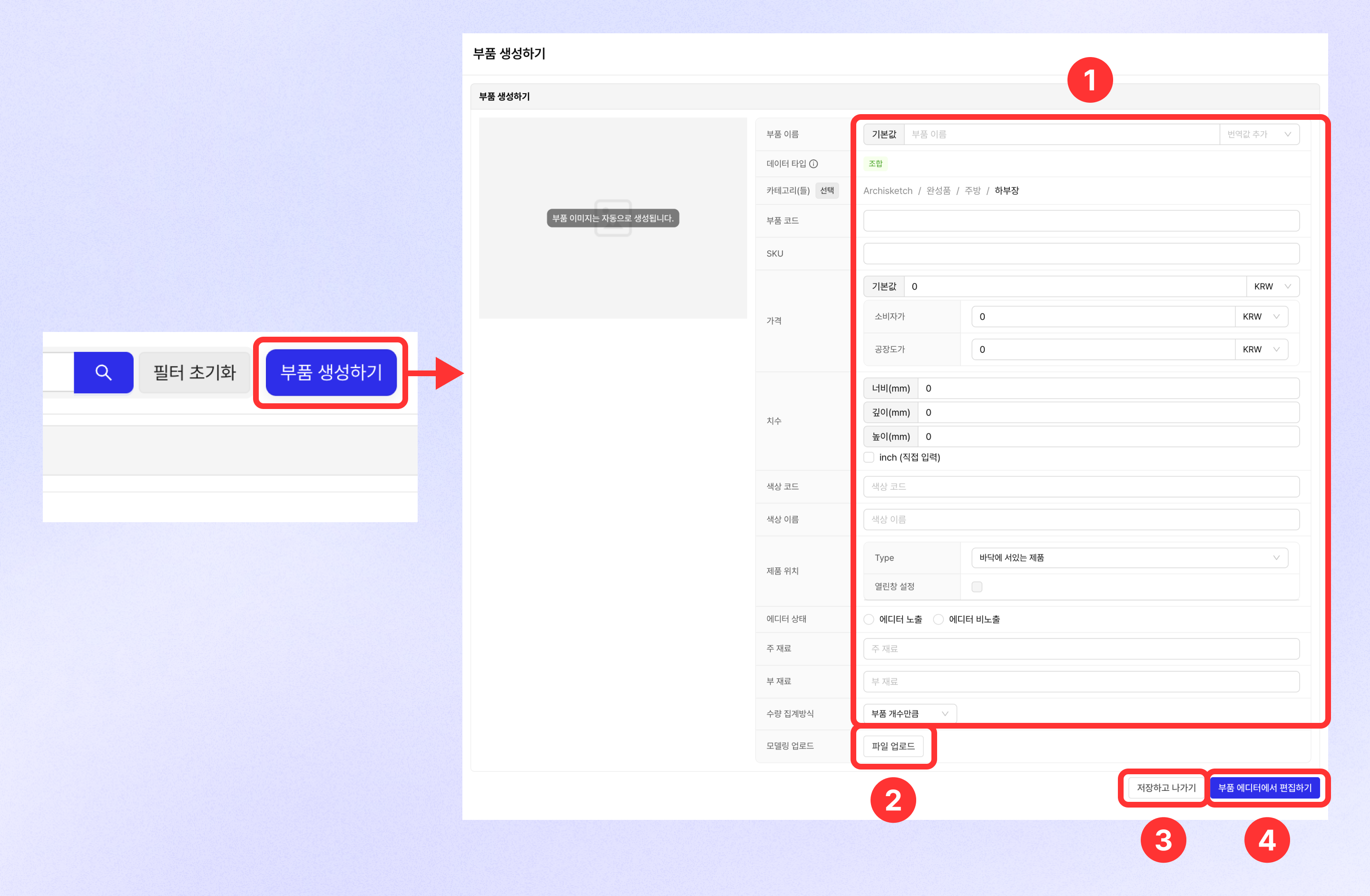
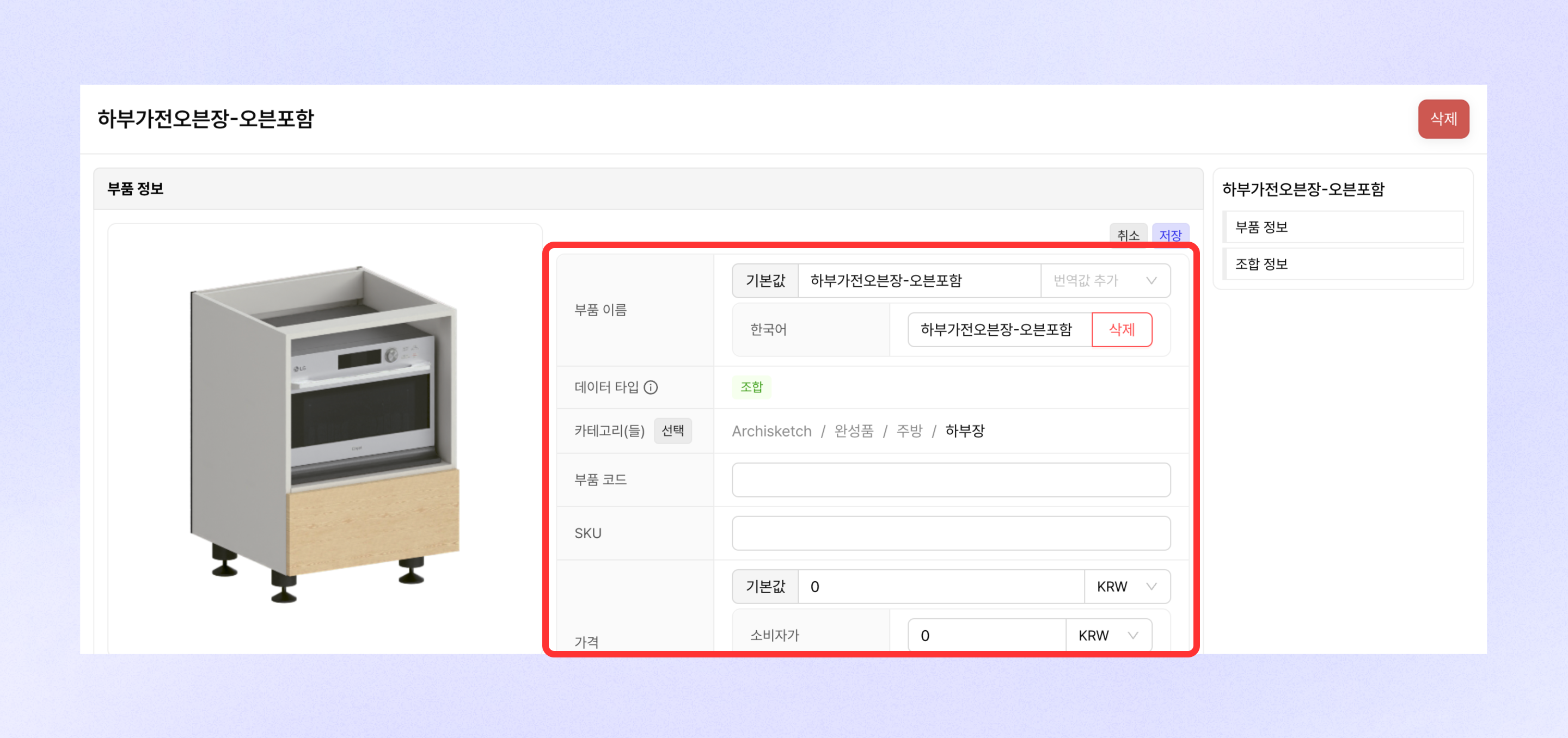
* 右上の **\[部品作成]**をクリックして部品作成ページへ移動できます。
* 部品画像(サムネイル)は自動生成され、部品情報を直接入力できます。(部品名は必須入力)
* 部品モデリングを追加する方法は **1) モデリングファイルのアップロード、2) 部品エディタで編集**の2つがあります。
* モデリングファイルをアップロードすると「モデリング」タイプの部品が生成され、部品ライブラリにも自動でファイルがアップロードされます。
* 部品エディタで編集する場合は部品エディタへ移動し、部品エディタで設定して反映できます。
* モデリングファイルをアップロードせずに、部品情報のみを入力して部品を作成できます。
{% hint style="info" %}
* 部品は1つのカテゴリのみに属することができます。
* 部品は他の子部品やモデリングを通じて作成できます。
{% endhint %}
### グループ部品の作成
* 部品一覧で2つ以上の部品を選択した後、 **\[オプショングループ作成]** ボタンをクリックしてオプショングループ作成モーダルに入ります。
* オプショングループ名(部品名)とキー(オプション名)を入力してグループ部品を作成できます。
## 部品の編集
### 個別編集
部品詳細ページの部品情報 > 編集ボタンをクリックして部品情報を編集できます。
### 一括編集
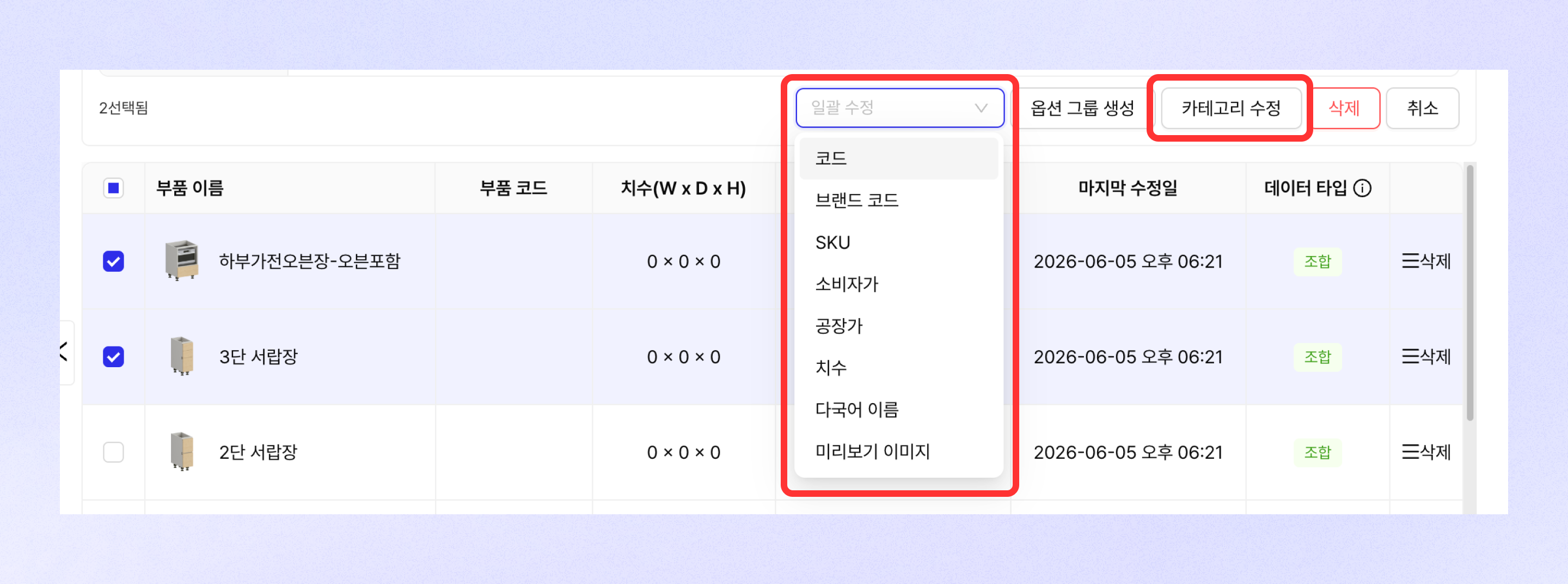
* 部品を2つ以上選択した後、\[一括編集]ボタンを通じて選択した部品のさまざまな部品情報を一括で編集できます。
* \[カテゴリ編集]ボタンをクリックしてカテゴリを一括で編集できます。
## 部品の削除
### 個別削除
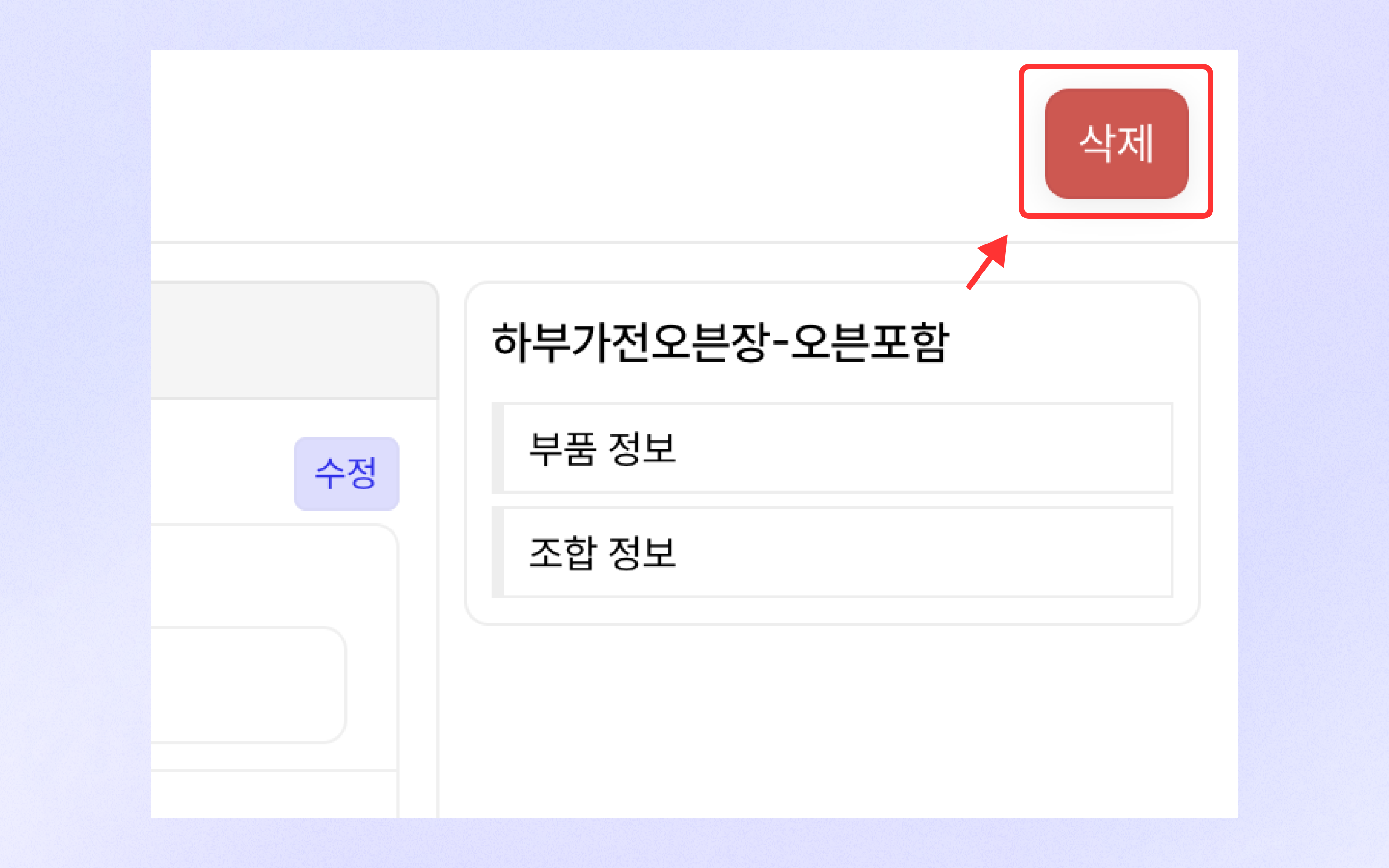
部品詳細ページ右上の\[削除]ボタンをクリックして部品を削除できます。
### 一括削除
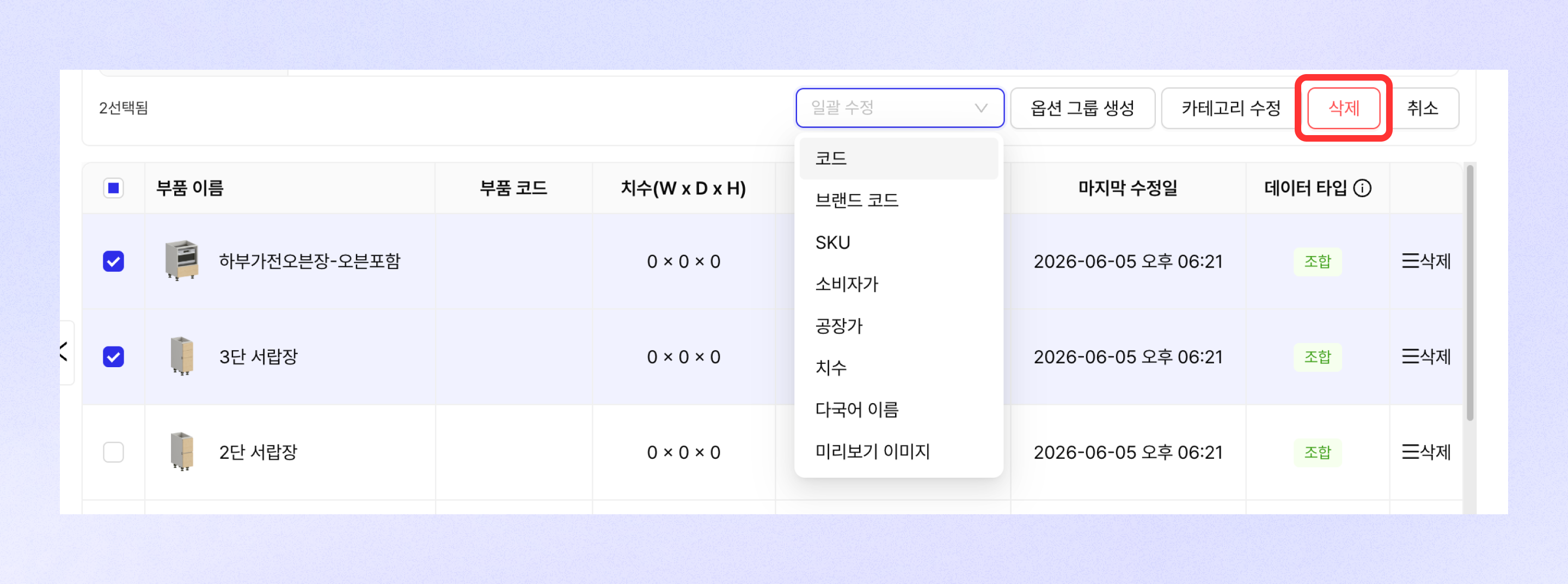
部品を2つ以上選択した後、\[削除]ボタンを通じて選択した部品を一度に削除できます。
---
# Agent Instructions
This documentation is published with GitBook. GitBook is the documentation platform designed so that both humans and AI agents can read, navigate, and reason over technical content effectively. Learn more at gitbook.com.
## Querying This Documentation
If you need additional information that is not directly available in this page, you can query the documentation dynamically by asking a question.
Perform an HTTP GET request on the current page URL with the `ask` query parameter, and the optional `goal` query parameter:
```
GET https://docs.archisketch.com/guide/enterprise-jp/parametric-library/component-library.md?ask=&goal=
```
`ask` is the immediate question: it should be specific, self-contained, and written in natural language.
`goal` is optional and describes the broader end goal you are ultimately trying to accomplish on behalf of the user. GitBook uses it to tailor the answer towards what is most useful for that goal.
The response will contain a direct answer to the question and relevant excerpts and sources from the documentation.
Use this mechanism when the answer is not explicitly present in the current page, you need clarification or additional context, or you want to retrieve related documentation sections.