> For the complete documentation index, see [llms.txt](https://docs.archisketch.com/llms.txt). Markdown versions of documentation pages are available by appending `.md` to page URLs; this page is available as [Markdown](https://docs.archisketch.com/guide/enterprise-jp/parametric-library/advanced-settings/style-template.md).
# スタイルテンプレート
スタイルテンプレートは、さまざまなパラメータ(変数)値をエディターで一括選択できる一種のプリセット機能です。
この機能を使えば、繰り返し使用するカラーや規格の組み合わせがある場合、エディターでスタイルテンプレートを通じて一度にパラメータの組み合わせを適用できます。
## スタイルテンプレートへのアクセス
ライブラリの詳細設定 > スタイルテンプレート をクリックしてアクセスできます。
## スタイルテンプレートの作成
* 右上の \[スタイルテンプレート作成] ボタンをクリックすると、スタイルテンプレート作成モーダルを開けます。
* スタイル項目の編集で、グループ単位でエンタープライズ変数を追加できます。
* 各エンタープライズ変数ごとに、エディター内で編集可能かどうかを選択できます。
## スタイルテンプレートの編集・削除
スタイルテンプレート右側のアイコンボタンから、編集、非表示(エディターに表示しない)、削除ができます。
## エディターで使う
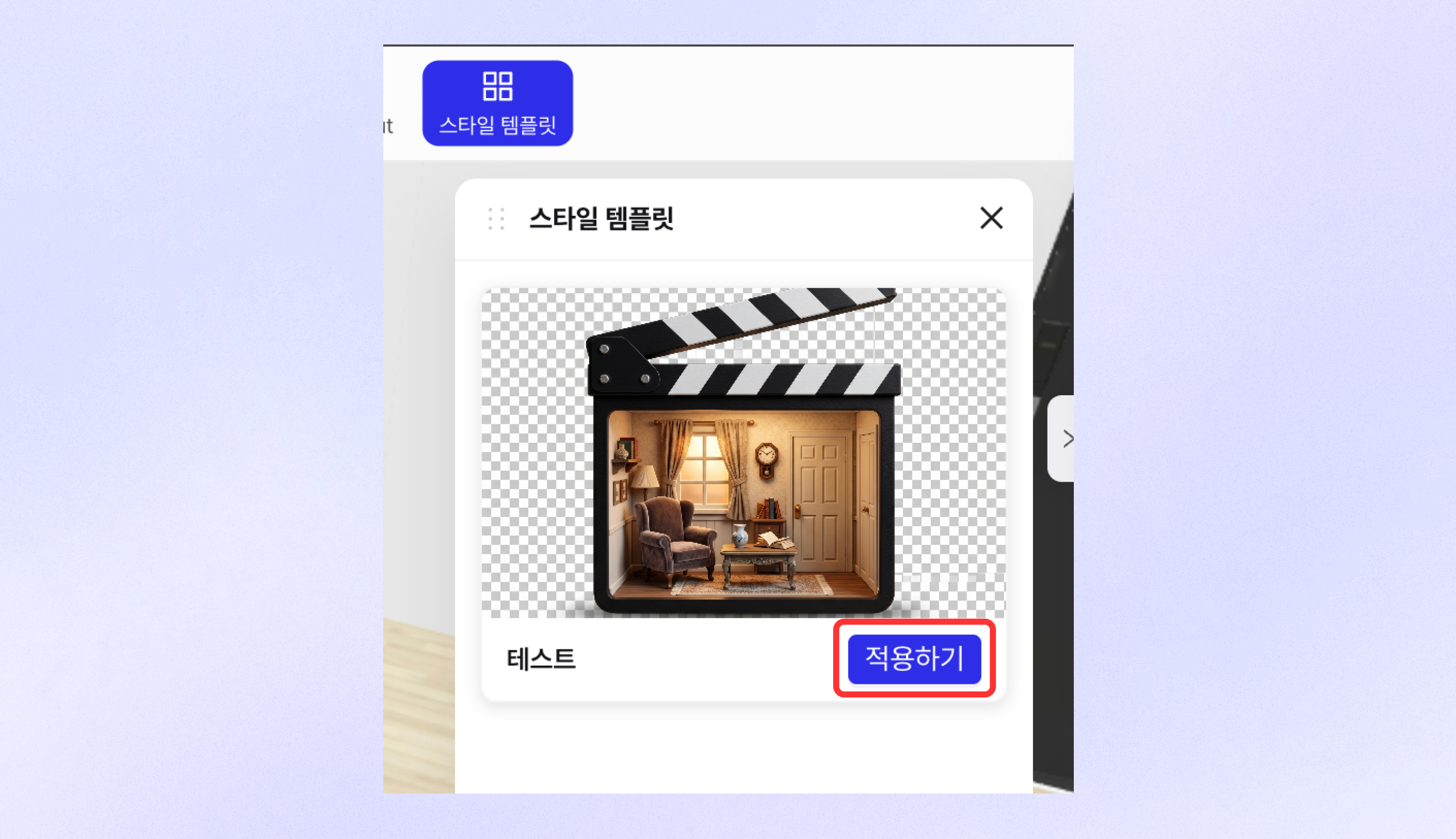
* エディター上部の \[スタイルテンプレート] ボタンをクリックして、スタイルテンプレート一覧を確認できます。
* 希望するスタイルテンプレートの \[適用] ボタンをクリックすると、選択したテンプレートがエディター内の設計型部品に適用されます。
---
# Agent Instructions
This documentation is published with GitBook. GitBook is the documentation platform designed so that both humans and AI agents can read, navigate, and reason over technical content effectively. Learn more at gitbook.com.
## Querying This Documentation
If you need additional information that is not directly available in this page, you can query the documentation by asking a question.
Perform an HTTP GET request on the following URL with the `ask` and `goal` query parameters:
```
GET https://docs.archisketch.com/guide/enterprise-jp/parametric-library/advanced-settings/style-template.md?ask=&goal=
```
`ask` is the immediate question: it should be specific, self-contained, and written in natural language.
`goal` is what the user is ultimately trying to achieve, the reason they need the answer. Sharing it helps GitBook give you a better, more relevant answer. A goal is most helpful when it describes the outcome the user wants rather than restating the question. For example, with `ask=how do I create an API token`, a goal like `automate deployments from our CI pipeline` lets GitBook tailor the answer to that use case.
The response will contain a direct answer to the question and relevant excerpts and sources from the documentation.
Use this mechanism when the answer is not explicitly present in the current page, you need clarification or additional context, or you want to retrieve related documentation sections.