> For the complete documentation index, see [llms.txt](https://docs.archisketch.com/llms.txt). Markdown versions of documentation pages are available by appending `.md` to page URLs; this page is available as [Markdown](https://docs.archisketch.com/guide/dev-en/contents/panorama/share-embed.md).
# 3.2. 720°/Panorama: Share/Embed
Explains how to Share and Embed the Render Images
{% hint style="warning" %}
❗️ This feature is available after a project has been created.
Sharing and embedding options are only accessible once the project setup is complete.
{% endhint %}
## 720°/Panorama: Share/Embed
#### 📌 Panorama: Share/Embed
{% stepper %}
{% step %}
**Open a Render Shot**
1.1. On the Archisketch dashboard, go to **\[Projects > My Projects]** or **\[All Projects]** and click on a project card. *(If no project exists, click the \[Create New Project] button to make one.)*
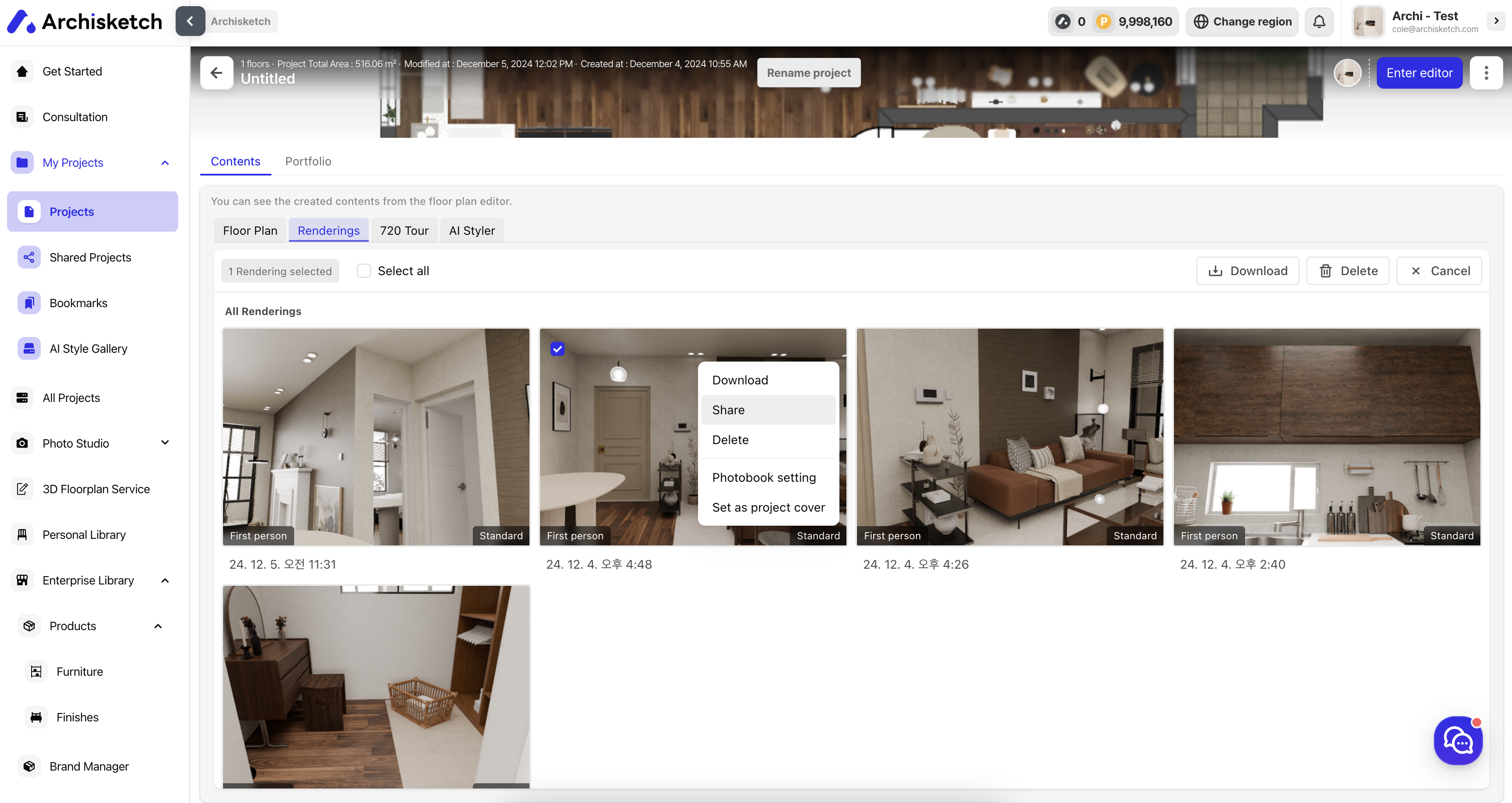
1.2. On the project details page, navigate to the **\[Contents > Render Shots]** tab and click on a Render Shot card.
{% endstep %}
{% step %}
**Share the Render Shot**
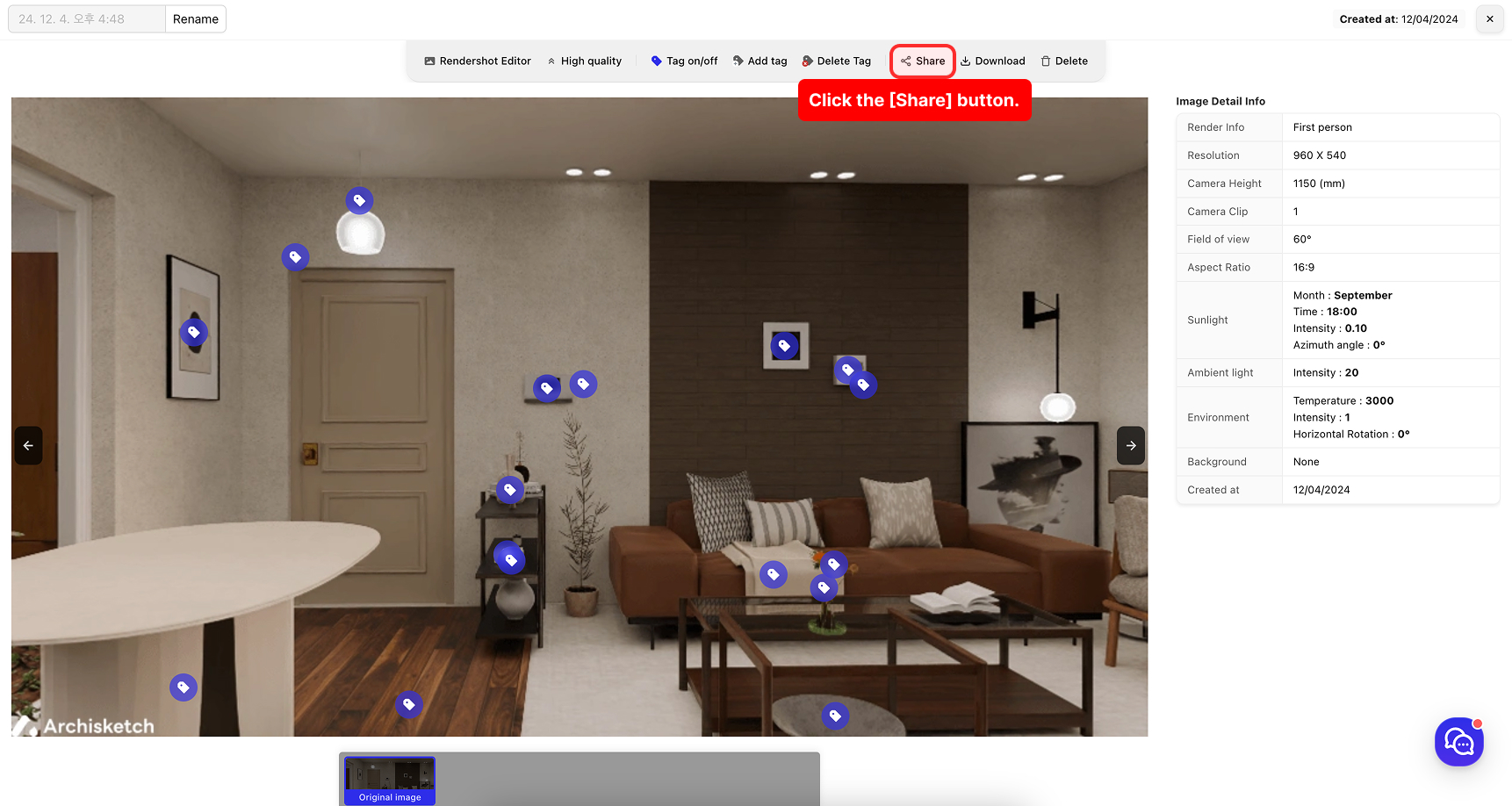
On the Render Details Page, click the **\[Share]** button.
✅ You can also share via the **\[Item Card Menu > Share]** button.
{% endstep %}
{% step %}
**Copy or embed the link**
Share the copied link with others or embed it in your HTML using an **`